
Analytics access and scopes
Analytics access is more specific than a single on/off switch.
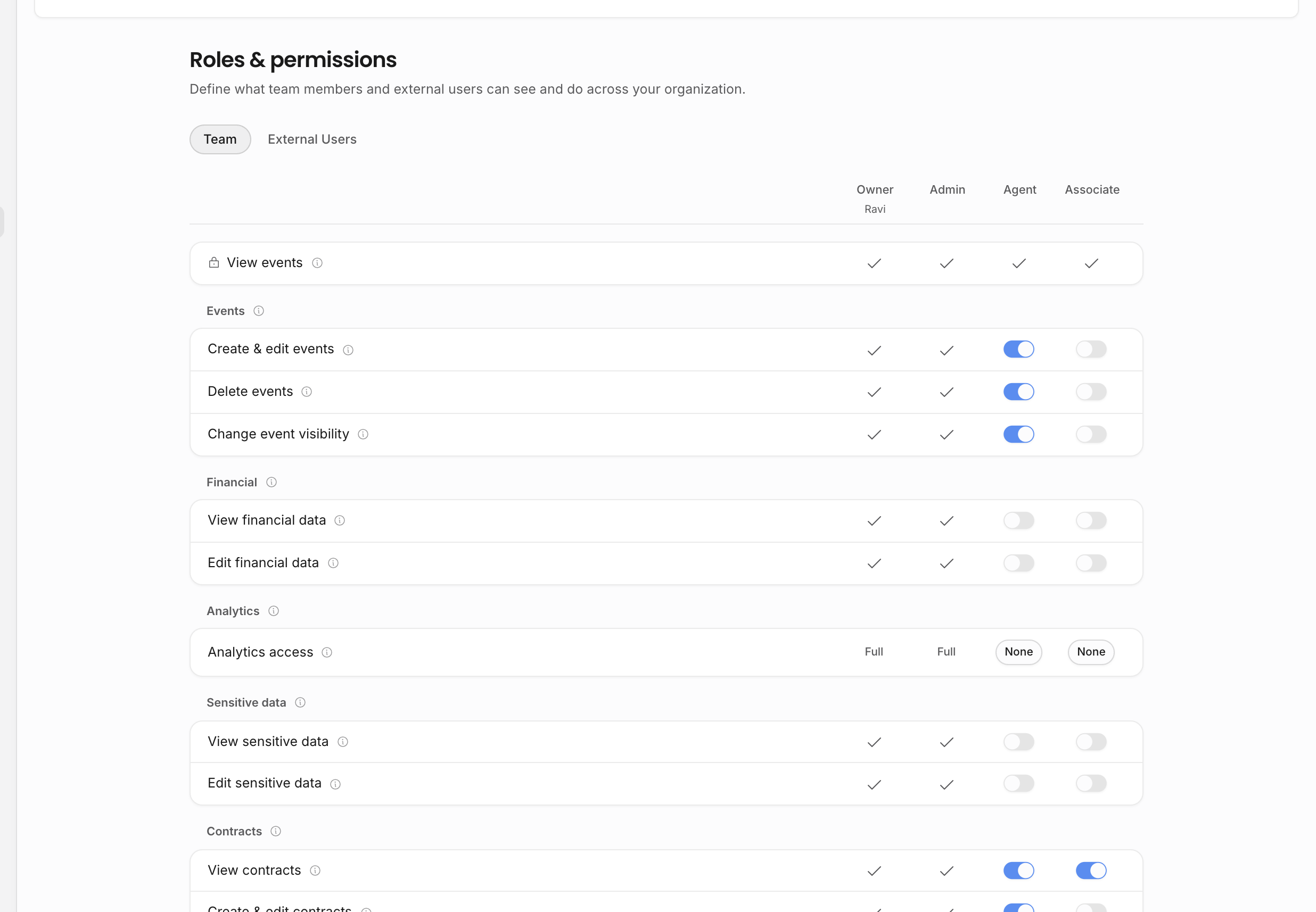
Access levels
| Level | What it means |
|---|---|
| Full | The member can read analytics across the organization. |
| Artist scoped | The member can read analytics for records inside their artist scope. If no artist scope is configured, the member sees org-wide analytics by default. |
| Booker scoped | The member can read analytics for events where they are the booker. |
| None | The member cannot open Analytics. |
Analytics that shows money also depends on financial-data permission. A member may be allowed into Analytics but still see less detail if they cannot view financial values.
Financial data
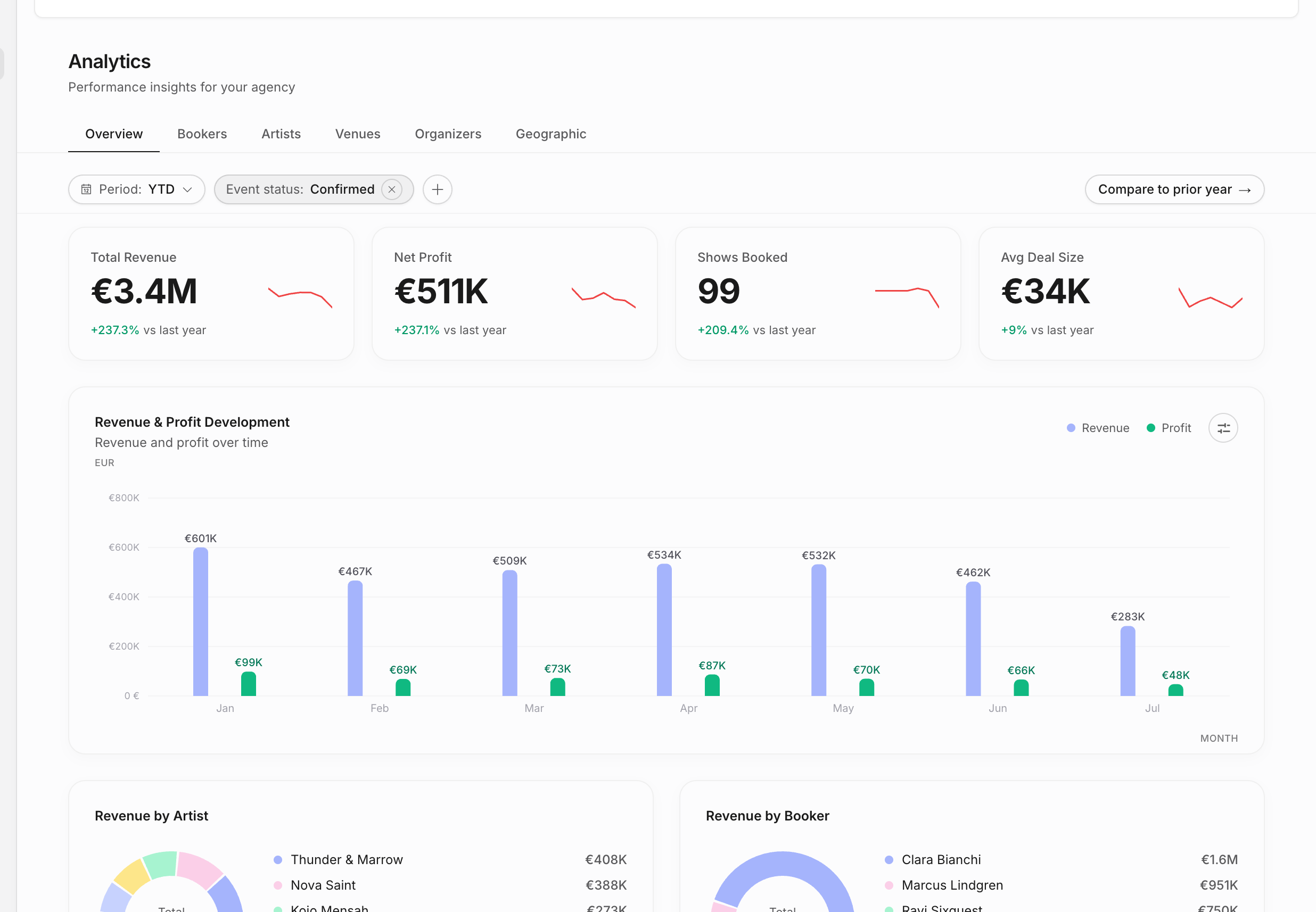
Analytics can include commercial values such as revenue, profit, average deal size, invoice value, and comparisons against prior periods. Those values should follow the same financial permission logic as contracts, invoices, and event financials.
This means two people can open the same Analytics page and see different levels of detail. One user may see counts, events, and non-financial rankings; another may also see the money attached to those records.
Artist scope
Artist-scoped analytics is for people who should work across performance data for selected artists only. The scope follows connected records: shows for those artists, documents tied to those shows or artists, contracts, invoices, and analytics slices that derive from them.
Use artist scope for artist managers, bookers assigned to a subset of the roster, or temporary team members who should not see the whole agency. Do not use it as a substitute for financial permissions; both layers matter.
Artist scope is set on the member, not inside Analytics. Owners and admins bypass artist scope. Agent and Associate members can be scoped to specific artists, and invitation scope is copied to the member when the invitation is accepted.
Booker scope
Booker-scoped analytics is useful when a person should evaluate their own booked events without seeing the whole agency. The scope is based on the event booker.
Booker scope takes precedence over artist scope when selected. If a user has booker-scoped analytics, the first Analytics tutorial should make that clear: they are seeing analytics for events where they are the booker, not a complete organization-wide picture.
Compare and drilldown pages
Analytics scopes apply beyond the overview page. Compare-period pages, artist detail, venue detail, organizer detail, booker views, geographic views, and show drilldowns should all respect the same access rules. If a person cannot see a record or financial value elsewhere, Analytics should not reveal it indirectly.
Troubleshooting missing analytics
If a teammate cannot see the expected numbers, check these in order:
- Can they open Analytics at all?
- Are they artist scoped, booker scoped, or organization-wide?
- Do they have permission to view financial data?
- Are the underlying shows confirmed, visible, and linked to the expected artist, booker, venue, or organizer?
- Is the selected date range or event-status filter excluding the records?
Related: Explore analytics, Roles and artist scope, Roles and permissions.