
Document templates and branding
Templates give the team consistent starting points for contracts, invoices, itineraries, riders, production notes, and internal documents. They are strongest when the repeatable wording lives in the template and the changing show data comes from live pills.
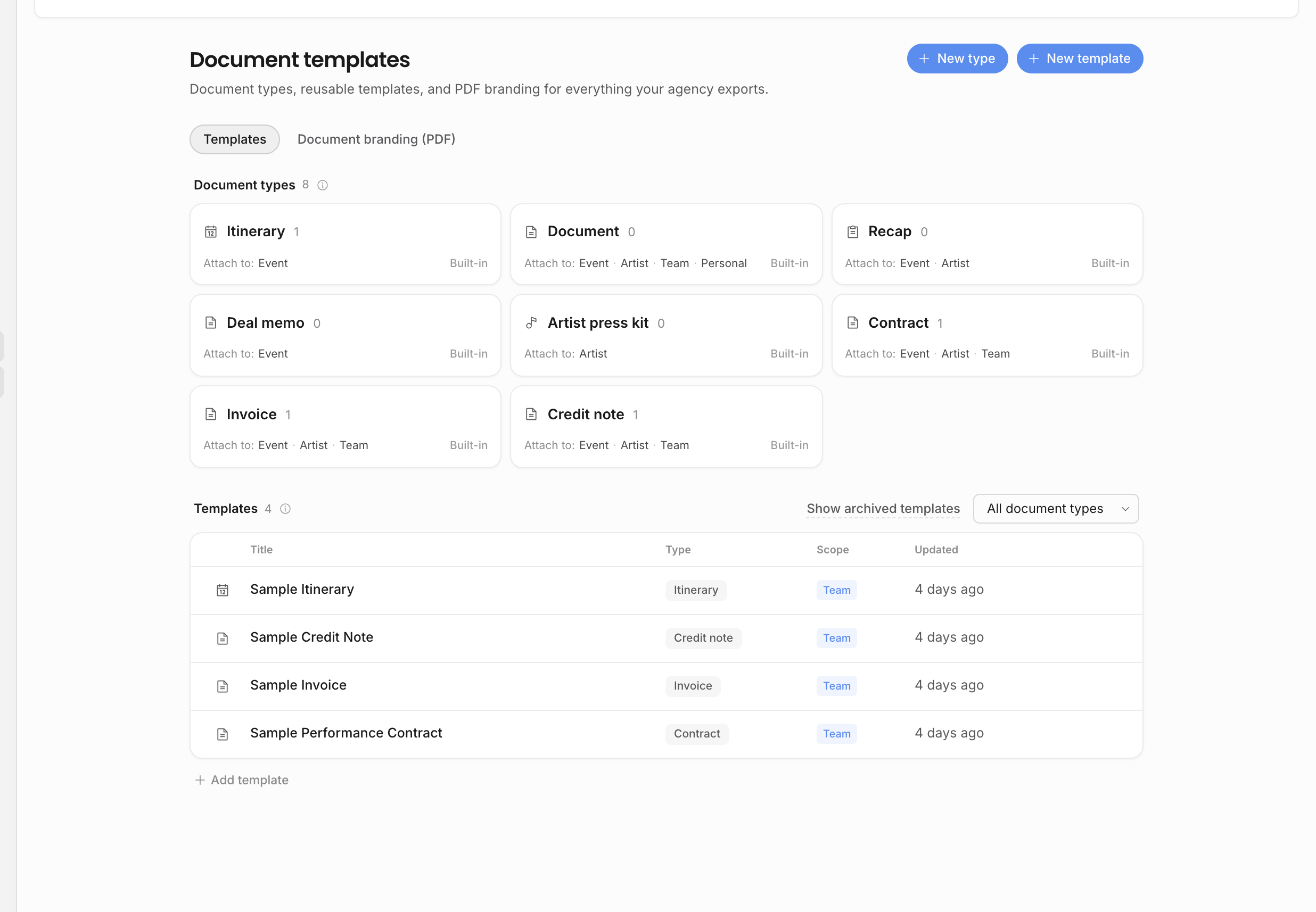
Template layers
| Layer | What it controls |
|---|---|
| Document types | Which categories can be created and where they can live: event, artist, team, or personal. |
| Personal templates | Private starting points for one teammate. |
| Team templates | Agency-wide starting points available to everyone. |
| Template content | The body, wording, headings, tables, live pills, loop blocks, contact blocks, and line-item blocks used when a document starts from the template. |
| Preview entity | A real event or artist used to test whether pills and loops resolve correctly before the template is used. |
| PDF branding presets | Header, footer, logo placement, page-number placement, page size, and the default preset used when exporting. |
Choosing the right scope
Use a personal template when one teammate is experimenting, keeping their own drafting shortcut, or preparing a template that is not ready for the whole team. Use a team template when the wording should be a shared agency standard.
Team templates are visible to the whole agency. Editing them requires Manage templates. If someone needs a variation without changing the shared version, they can duplicate the team template into a personal copy. A personal template can be promoted to a team template by someone with template-management permission.
What belongs in a template
A good template should answer two questions: what wording repeats, and which values should stay connected to workspace data.
| Put this in the template | Why |
|---|---|
| Standard legal or operational wording | It keeps documents consistent without retyping the same clauses. |
| Headings, tables, lists, and layout | It gives every new document the right structure from the start. |
| Live pills for show, artist, counterparty, contract, invoice, and organization values | The document can resolve current data instead of freezing a copied value. |
| Loop tables and blocks | Repeating data such as line items, contacts, tasks, or other collections can expand from the linked record. |
| Static text for human judgment | Notes, explanations, and negotiated wording should stay editable text unless the value truly belongs in the source data model. |
Do not type a value manually when it already exists as a show field, artist field, organization field, line item, invoice value, or contract value. Use a Live pill instead so the template stays connected to the source of truth.
Preview before using
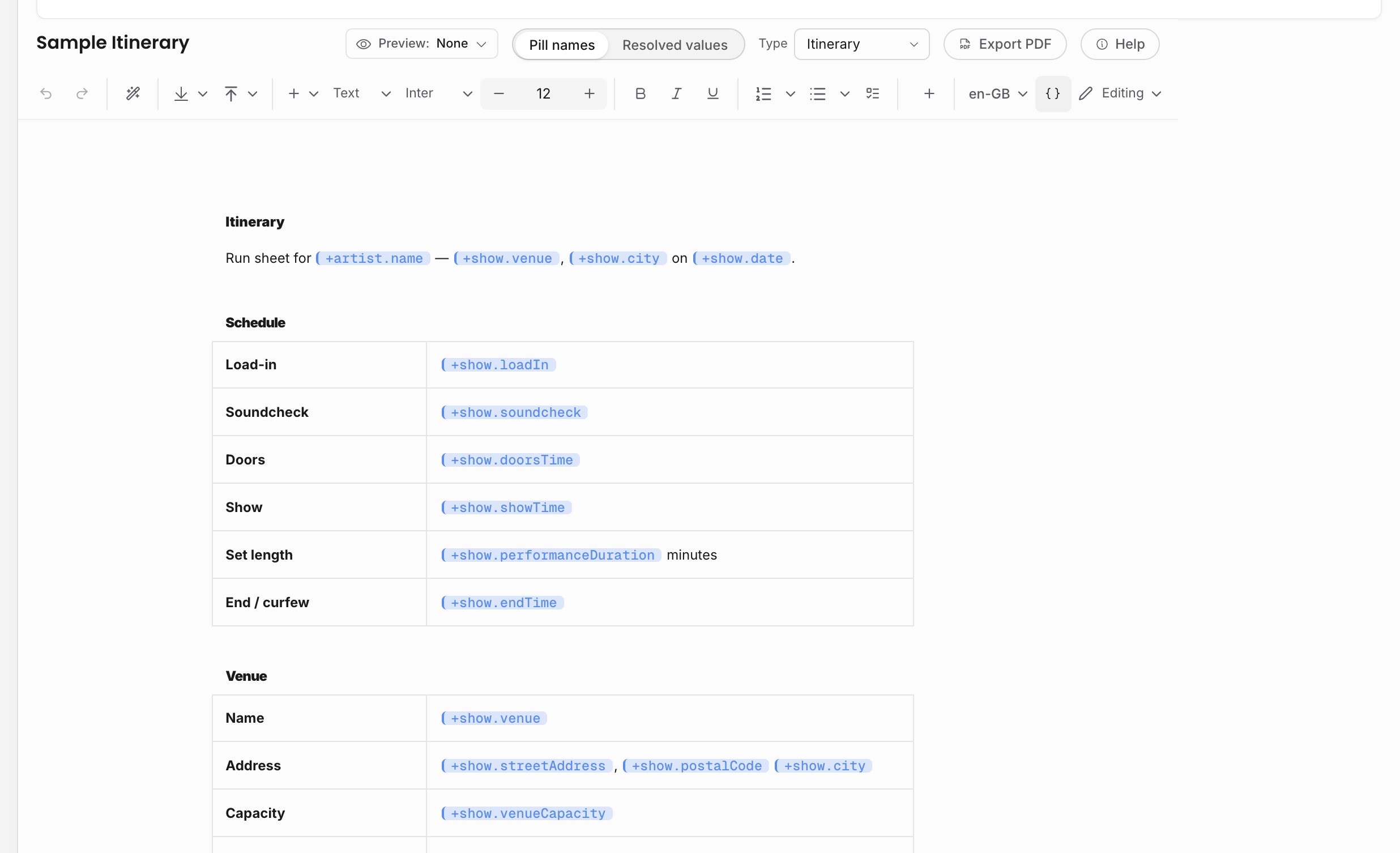
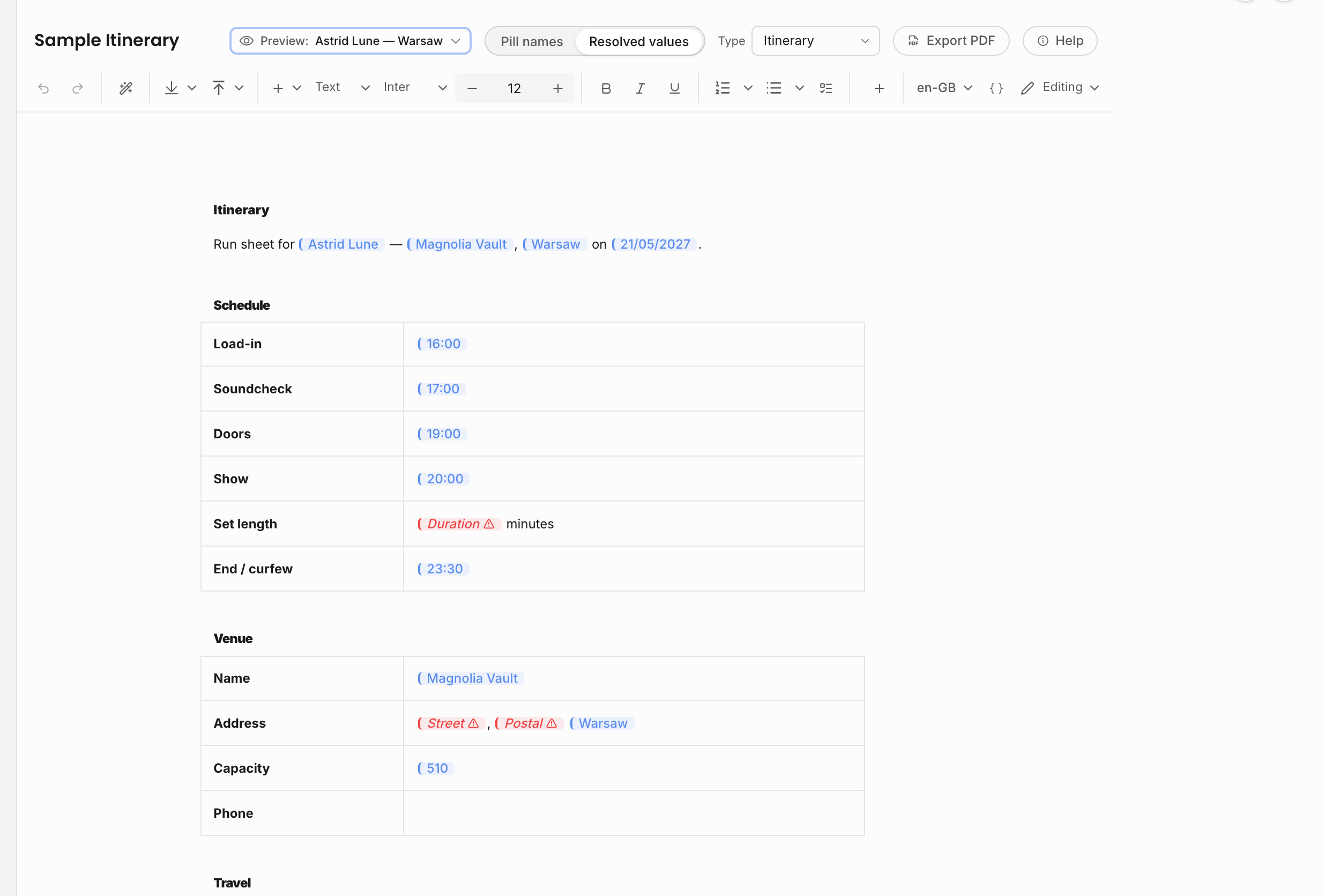
Template editing has an editing mode and a viewing mode. Editing mode shows the reusable template body. Viewing mode renders the document as it would appear after pills and loops resolve.
For event- or artist-scoped document types, select a preview entity before checking the rendered result. This lets the template author see whether dates, names, money values, line items, and repeated sections resolve as expected. If a pill appears empty in preview, the source field is probably missing on the selected event or artist, or the current viewer does not have permission to see that field.
Locale also matters. Template locale controls date and number formatting for resolved pills, so check it before relying on a template for documents sent to another market.
Contracts and invoices
Contracts and invoices can use document templates for their editable body, but they are more than documents. The contract or invoice record owns the business lifecycle: status, generated files, sent state, uploads, payment schedules, credit notes, and activity.
For contract templates, keep the agreement structure and repeatable clauses in the template, and use pills for show details, counterparty details, deal terms, financial lines, artist details, and organization identity. For invoice templates, use pills and line-item blocks for billing data instead of typing amounts manually.
Money-related templates can carry VAT treatment defaults so new contract or invoice documents inherit the right tax basis. Always check the created record before sending, because the record still owns the final commercial state.
PDF branding
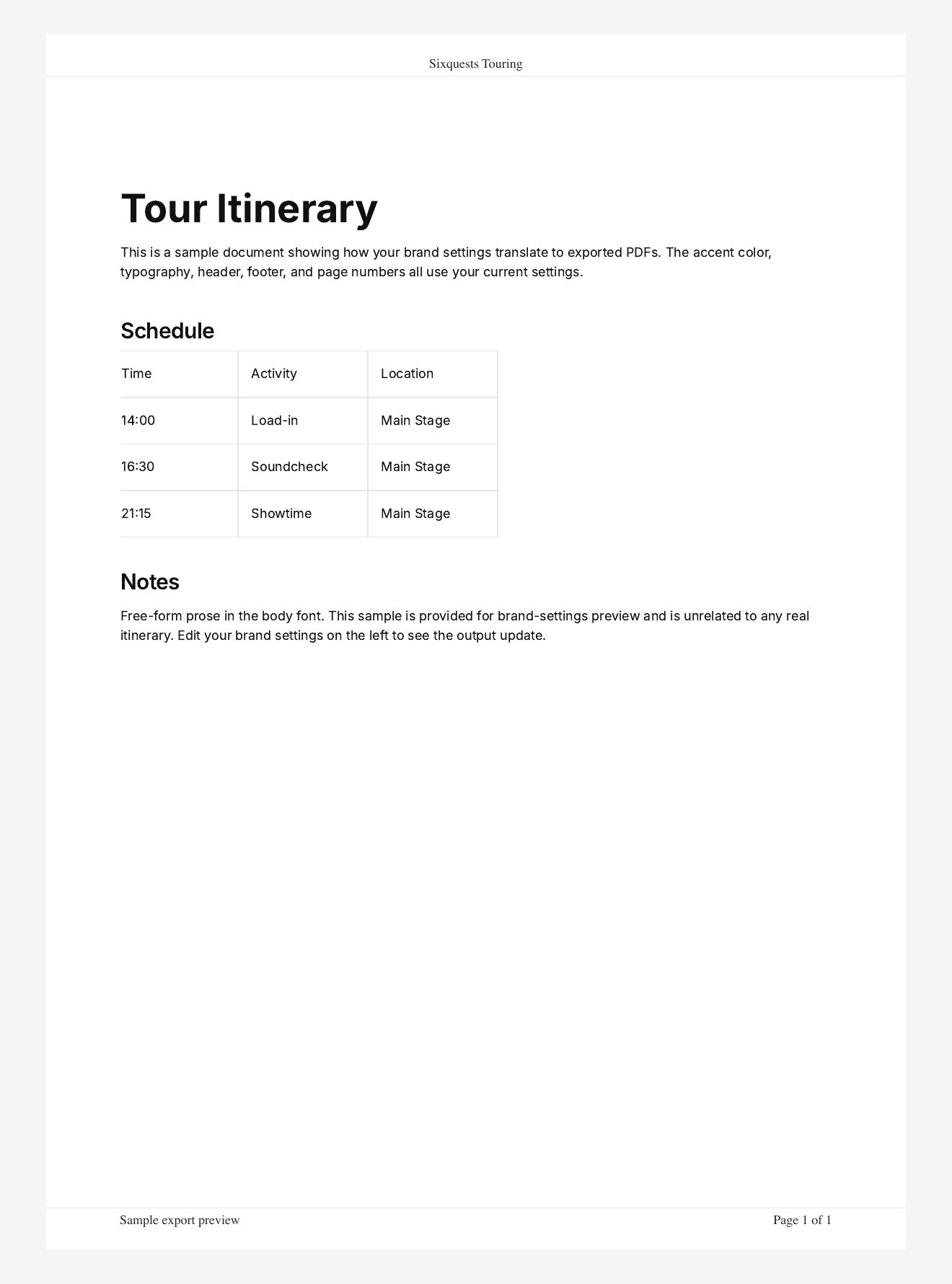
PDF branding presets affect the exported PDF frame around the document body. They do not replace the editor content and they do not rewrite the document itself.
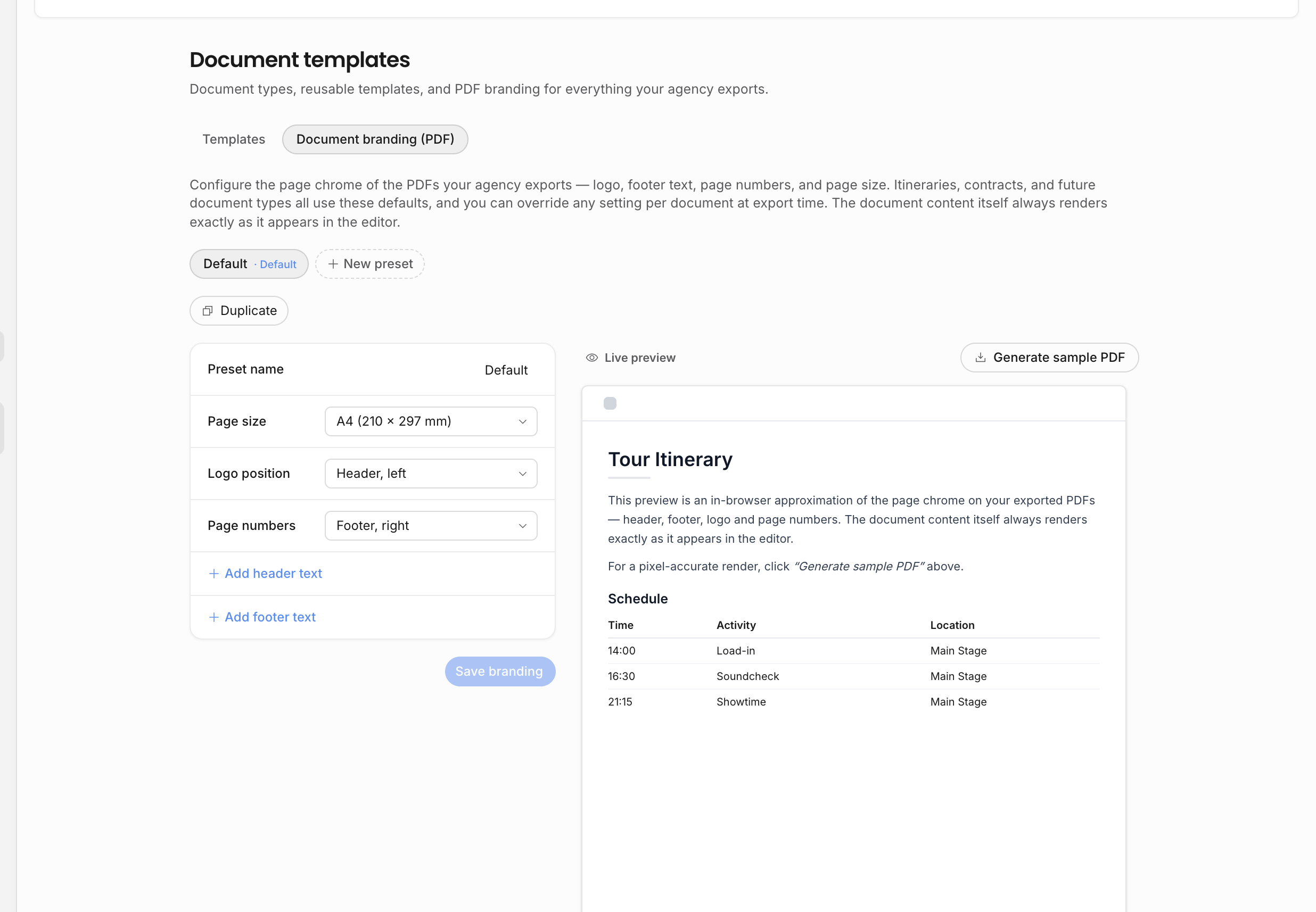
Use branding presets when the agency needs different export presentations, for example a default agency style and a cleaner partner-facing style. A preset can define header text, footer text, logo placement, page-number placement, and page size. The default preset is used when an export does not explicitly choose another preset.
The settings page includes a preview and a sample PDF generator. Use the sample PDF when exact output matters, because the generated file is the authority for margins, logo rendering, header/footer placement, and pagination.
Related: Document settings, Live pills, Templates, pills, and copies.