
Create a contract
Contracts usually start from a show, because the show already knows the artist, date, venue, organizer, booker, and financial lines.
Before you create the contract, put the show's money in place: add the revenue lines (guarantee, fees, ticket shares) to the show's Revenues and expenses card. The create dialog derives the contract's deal value from the revenue lines you select, so lines that exist up front are selectable immediately and the deal total stays explainable from the show. See Revenues and expenses on the show page for how to add lines, pick them from the catalog, or save a custom line back to the catalog.
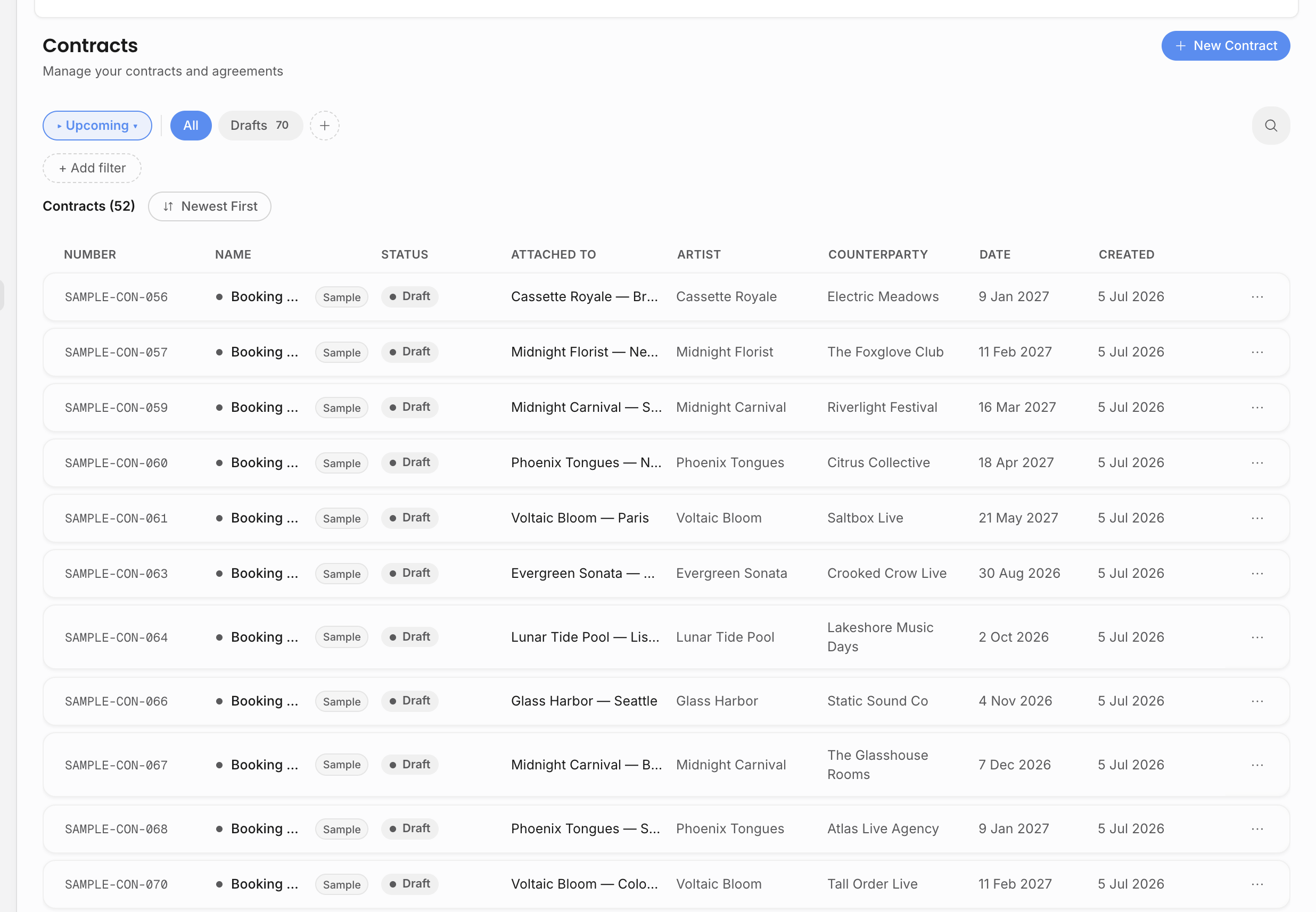
Create it from the show
- 1Open the show.
Go to the event detail page for the booking.
- 2Choose Create contract.
Start from a contract template or copy existing contract content.
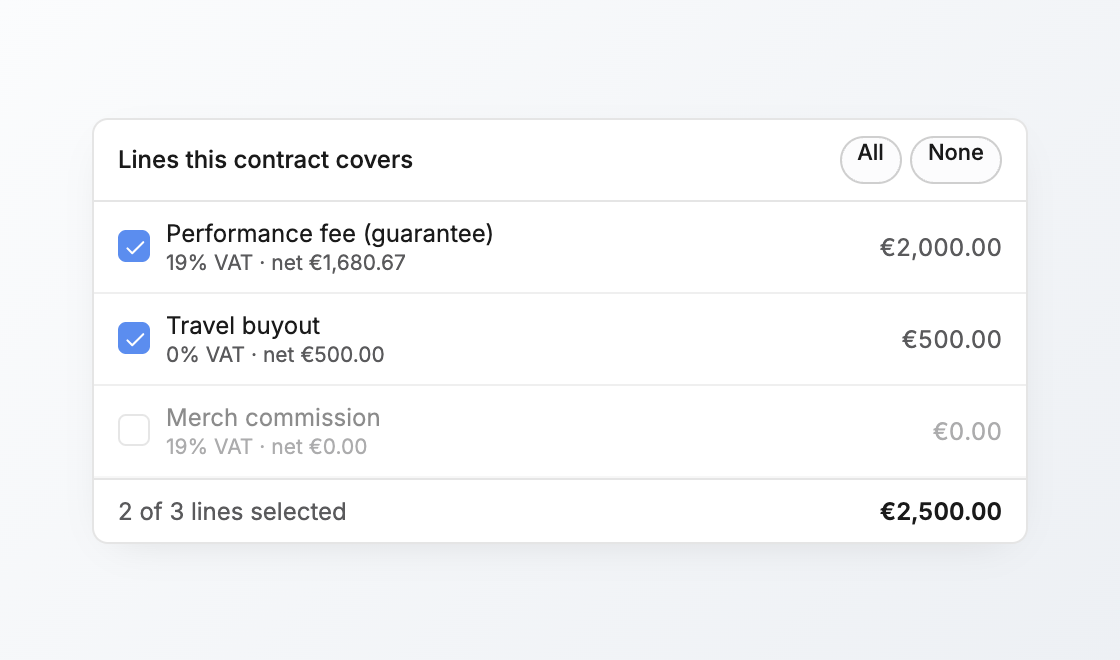
- 3Select the deal lines.
Choose which revenue lines belong in the contract deal value. The contract selection does not move or duplicate event revenue; it only decides what this contract references.
- 4Create the contract.
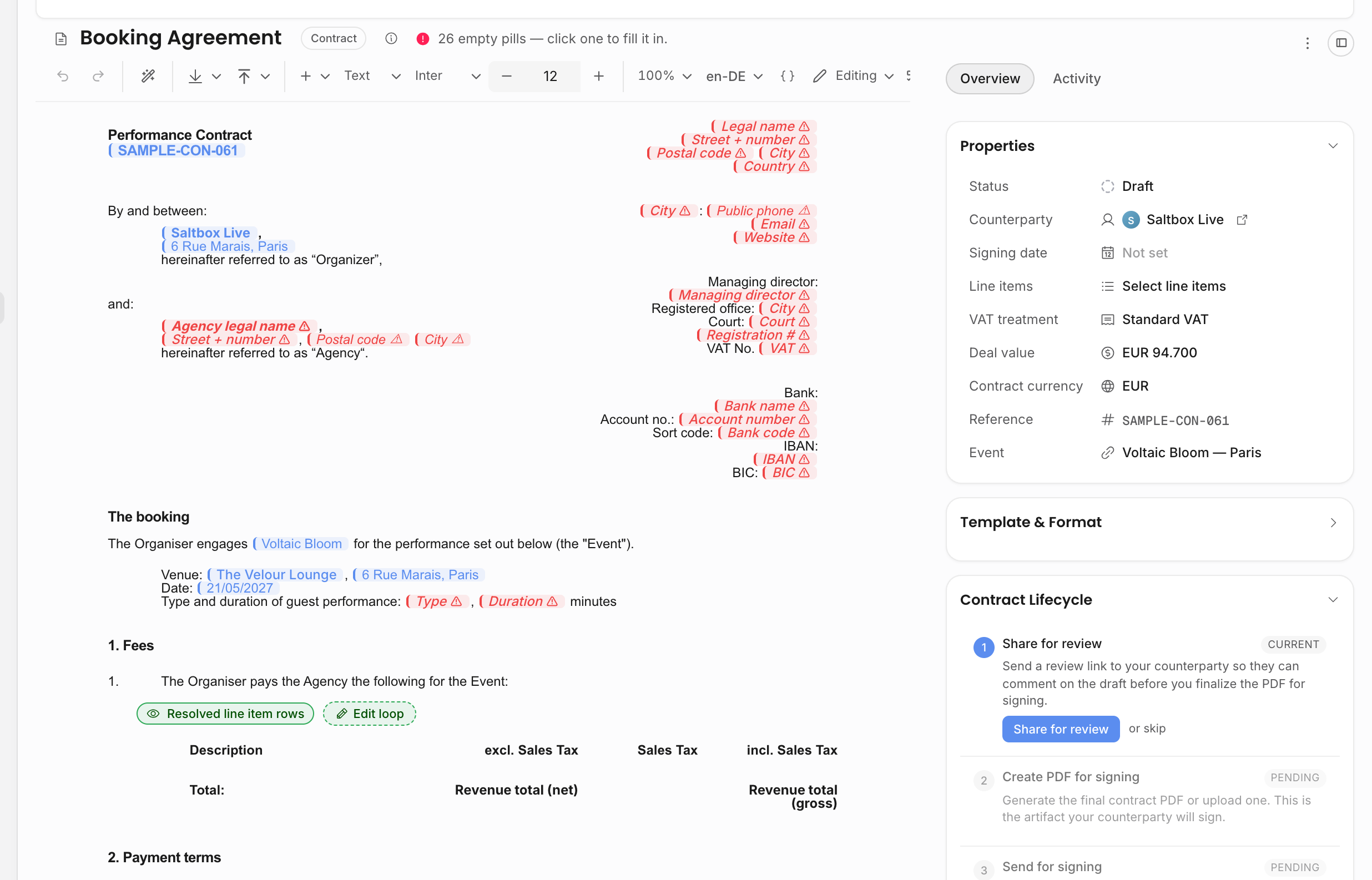
It opens as a live document with a lifecycle rail beside it.
The contract part of the Create a contract and invoice for a show tutorial follows this path. See Guided tutorials.
Template, upload, or copy
There are several ways to start, depending on how your agency works:
| Starting point | Use it when |
|---|---|
| Contract template | The agency has a standard agreement and wants live values inserted from the show, artist, counterparty, agency, and selected deal lines. |
Uploaded .docx template | You already have a Word template and want Offstage to resolve variables before creating the contract. |
| Existing contract copy | A previous contract is close enough to reuse as a starting point. The new contract is independent after creation. |
| Uploaded PDF/document | You already have a prepared unsigned contract file and want to track it against the show. |
The counterparty usually comes from the show's organizer or buyer, but you can choose another account when the contract should be with a different legal or billing party. Locale-sensitive values can follow the counterparty, the agency default, or an explicit override when a template supports it.
Use live pills
Live pills pull values from the show, artist, agency, contract, invoice, or selected lines into the document. They prevent retyping and keep document content aligned with the source record.
If a pill is missing source data, fill that source field on the show or related record instead of hardcoding the value in the contract.
Deal lines and contract value
Selecting deal lines tells the contract which event revenue lines it covers. It does not delete, duplicate, or move the revenue on the show. It creates a clear link between the legal agreement and the event finance rows it represents.
Use this deliberately when a show has several revenue lines. For example, guarantee, bonus, travel buyout, and production reimbursements may not all belong in the same agreement. If the selected lines change while the contract is still editable, update the selection instead of manually rewriting totals in the document body.
Know what belongs on the contract
| Area | Meaning |
|---|---|
| Contract number | Generated per workspace and year. |
| Counterparty | The account the contract is with, usually the organizer or buyer. |
| Deal value | The selected show revenue lines or a manually entered amount. |
| Amount mode | Whether the amount is net or gross. |
| VAT treatment | Standard, reverse charge, or exempt handling for the PDF copy. |
| Notes | Internal context; not the legal document body. |
| Lifecycle | Draft, sent, countersigned, signed, or cancelled. |
Editability and status
Treat the draft contract as the working version. Once the signed artifact comes back, Offstage keeps the countersigned PDF as the decisive record. Signed contracts are protected from ordinary editing, and deleting or replacing the countersigned PDF should only happen when the agency intentionally needs a new signing round.
If a contract was created from a template, future template edits do not rewrite the already-created contract. Update the contract itself when this specific show needs different wording.
Next step
When the content is ready, send the contract.