
Payment schedules
Some bookings are paid in stages: a deposit up front, the balance after the show. A payment schedule lets one invoice carry several due dates, so you can bill and track it exactly the way you agreed.
How it works
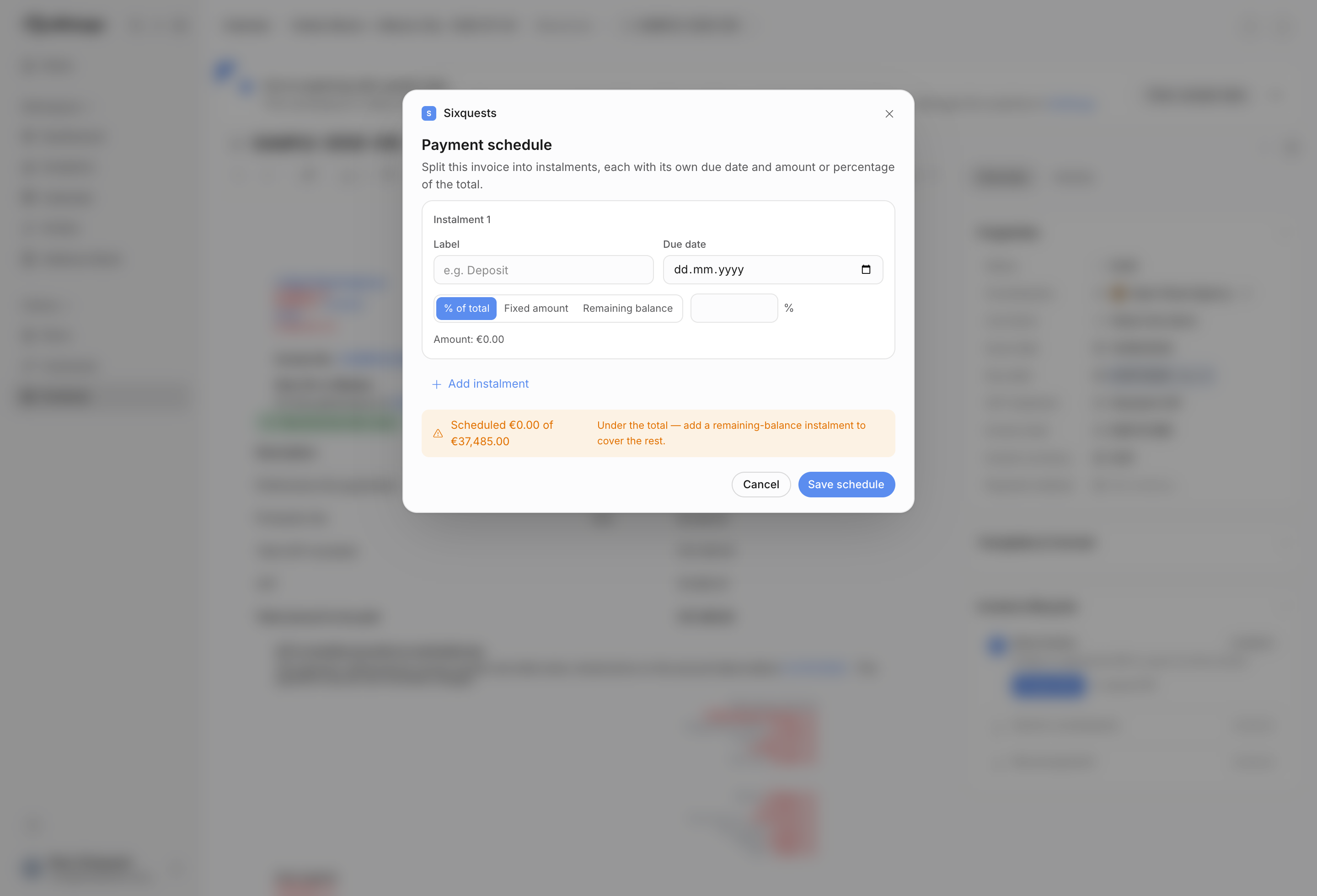
Add a schedule from the invoice's Due date row and give it a few parts, each with its own due date and amount logic. A row can be a percentage of the invoice total, a fixed amount, or the remaining balance. For example, a two-part schedule might be "50% deposit due on booking" and "remaining balance due after the show". The invoice total stays the same; the schedule just spreads it across dates.
Payments themselves are still recorded against the whole invoice, exactly as before. Offstage works out how far each part is covered by applying payments to the oldest due instalment first. That means:
- The invoice reads Overdue as soon as any part is past its due date and not yet covered.
- Once payments cover the full total, it reads Paid.
- The visible due date on the invoice becomes the last instalment date, while overdue status still checks every instalment.
An invoice without a schedule keeps its single due date and behaves exactly as it always has. A schedule is entirely optional; add it only when a booking is paid in parts.
Editing rules
Payment schedules apply to invoices, not credit notes. When you save a schedule, Offstage replaces the schedule with the rows in the modal. Clearing every row collapses the invoice back to the normal single-due-date model.
The schedule modal validates that each instalment has a due date and that percent or fixed-amount rows have a value. Only one remaining-balance row is allowed. The footer shows whether the schedule is under or over the invoice total, so you can catch a missing balance row before saving.
A worked example
Say you bill 4,000 for a show. You set a schedule: 25% deposit due today, remaining balance due the week after the show. When the deposit lands, Offstage applies that payment to the earliest due instalment first. If the deposit date passes before that amount is covered, the invoice flips to Overdue even though the final balance date is still in the future. If the final balance date passes later, the same status logic keeps the invoice visible as overdue until the full total is covered.
Related
Back to the basics in Invoice and get paid.