
Show fields
This is the reference for the fields you can use on a show. Some fields are filled during creation; many live on the show detail page.
Fields are not only labels on a form. They drive calendar filtering, document pills, contract and invoice defaults, tour calendar output, analytics, permissions, and notifications. A role may see a shorter field set when financial, contract, invoice, artist-scope, or custom-field permissions restrict part of the show.
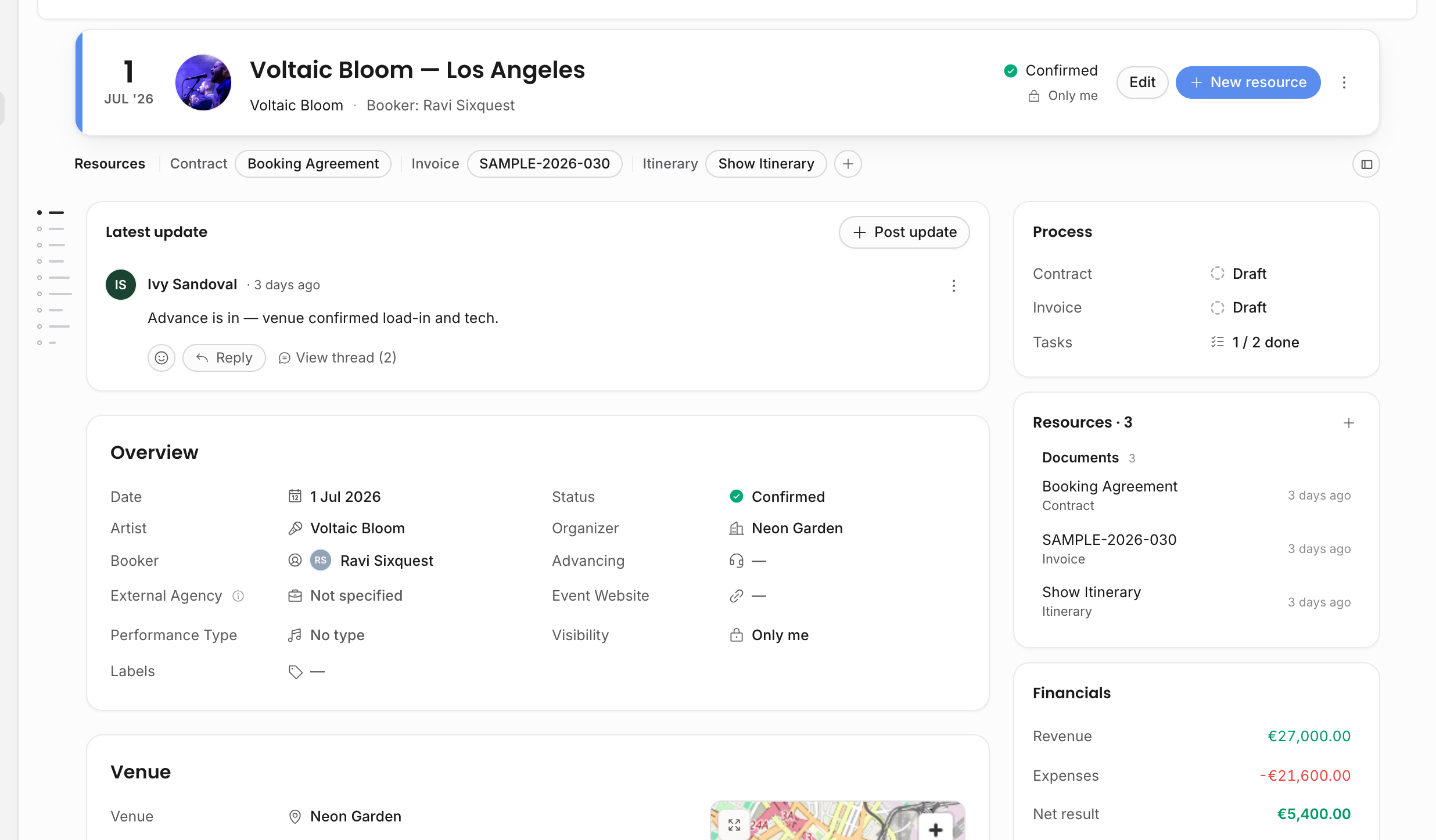
The essentials
| Field | What it is |
|---|---|
| Title | The display name of the event. For shows, it usually follows the artist and venue. |
| Type | Show, travel, or general event. This page covers show fields. |
| Artist | The act you are booking. Every show has exactly one. |
| Venue | Where the show happens. It can be typed directly or linked to an address-book venue account. Setting a venue with coordinates can resolve the show time-zone label. |
| Organizer / buyer | Who books the show with you: promoter, festival, venue, or other buyer. |
| Date | The day of the show. |
| Status | Where the booking stands, for example Pending or Confirmed. |
| Status tags | Workspace-defined tags such as holds, offer out, or other agency-specific pipeline labels. |
| Booker | The team member responsible for the show. |
| Advancing contact | The teammate handling day-of logistics or advancing work. |
| Visibility | Whether the show is private, internal, or visible to invited external guests. |
| External notes | Notes intended for external guests when the show is shared. |
Status, date, venue, booker, and advancing contact can trigger notifications when the event is not private. Visibility also changes how other access surfaces behave, including external guests and tour calendar views.
Times
All show times are local to the venue. You only need to fill the ones you use.
| Field | What it is |
|---|---|
| Load-in | When the crew and gear arrive. |
| Soundcheck | When the artist checks sound. |
| Doors | When the audience is let in. |
| Show | When the artist goes on. |
| End | When the show finishes. |
| Duration | Optional manual performance duration; otherwise it can be inferred from show and end times. |
For example, a club night might read: load-in 15:30, soundcheck 16:00, doors 19:00, show 21:00. Every one of those reads the same for everyone, because they are the venue's local wall-clock time. See Event times and time zones.
The venue time-zone label is stored separately from the wall-clock time. Offstage resolves the label from coordinates when possible, and users with event edit permission can correct it manually. This matters for cross-time-zone context, calendar exports, itinerary wording, and day-of logistics, but it does not convert 20:00 into another time for a teammate in a different country.
Location and venue details
| Field | What it is |
|---|---|
| Address | The venue address for maps, time-zone labels, and day-of context. |
| Street, postal code, city, region, country | Structured address fields resolved from the address lookup when available. |
| Coordinates | Latitude and longitude used by maps and geographic analytics. |
| Venue website | The venue's website, overridable per show. |
| Event website | The public event page or ticket page. |
| Capacity | Venue capacity, overridable per show. |
| Age restriction | Age restriction for this event. |
| Notes | Free-form internal notes about the show or location. |
Good address data matters beyond the event page. Venue/city/country analytics, map placement, and tour calendar context all become weaker when a venue is only free text. If a venue is reused, prefer linking the address-book venue account and keeping its structured address current.
Ticketing and public pricing
| Field | What it is |
|---|---|
| Ticket link | The URL where tickets are sold. |
| Presale A, B, C | Up to three advance ticket prices. |
| Door price | The price on the night. |
| Reduced price | Discounted or reduced ticket price. |
| Other pricing | Free-text pricing notes that do not fit the structured fields. |
| Ticket currency | The currency for ticket prices. |
Ticket prices follow the show's normal visibility, so anyone who can see the show can see them. They are not treated as financial data, which is the separate category that covers your agency's money.
Performance and deal terms
| Field | What it is |
|---|---|
| Performance type | The show format, such as concert, DJ set, festival slot, or your workspace's custom labels. |
| Stage hands | Number of stage hands expected or agreed. |
| Guest list size | Agreed guest list allocation. |
| Ticket share percent | Percentage share when the deal includes ticket revenue participation. |
| Break-even clause | Free-text break-even agreement. |
| Backline responsibility | Who provides or pays for backline. |
| Travel cost responsibility | Who covers travel costs. |
| Ground transport responsibility | Who covers local transport. |
| Additional costs | Free-text costs such as hotels, catering, rider, local ground transport, or festival production. |
| Specific arrangements | Other contractual or operational arrangements. |
Deal terms are operationally different from line items. Deal terms describe the arrangement in words and defaults; line items are the structured money rows that can be selected into contracts, invoices, credit notes, and analytics. Use both when needed: a contract might mention a break-even clause while also deriving its deal value from selected revenue lines.
Financial line items
Line items are structured rows for money attached to the show.
| Field | What it is |
|---|---|
| Type | Revenue or expense. |
| Description | What the row represents, such as guarantee, production fee, hotel, flight, backline, or commission. |
| Product | Optional catalog item from settings that can prefill common defaults. |
| Quantity and unit | How many units the row covers. |
| Unit price | Price per unit before tax. |
| Tax rate | Tax percentage used to calculate tax amount. |
| Net, tax, gross | Calculated totals derived from quantity, unit price, and tax rate. |
| Currency | Currency for that row. |
| Counterparty | The business contact associated with that row, such as buyer, venue, vendor, or agency. |
| Accounting code | Optional internal accounting reference. |
Lines are added from the Add item dialog on the show's Financials card. It has two tabs: From catalog picks a reusable workspace item and pre-fills its type, name, unit, price, and tax rate (everything stays editable for the show), and Custom enters a one-off line, with a Save to catalog for future use option that stores it as a reusable item for the whole team (requires Manage templates). The catalog is maintained under Settings → Events / Shows → Revenues and expenses.
When a line item changes, Offstage re-derives linked invoice totals and contract deal values unless those documents have been manually overridden. This is why line items are the best place for money that needs to stay connected across contracts, invoices, credit notes, documents, and analytics. It also means it pays to enter them before creating the contract or invoice that will reference them.
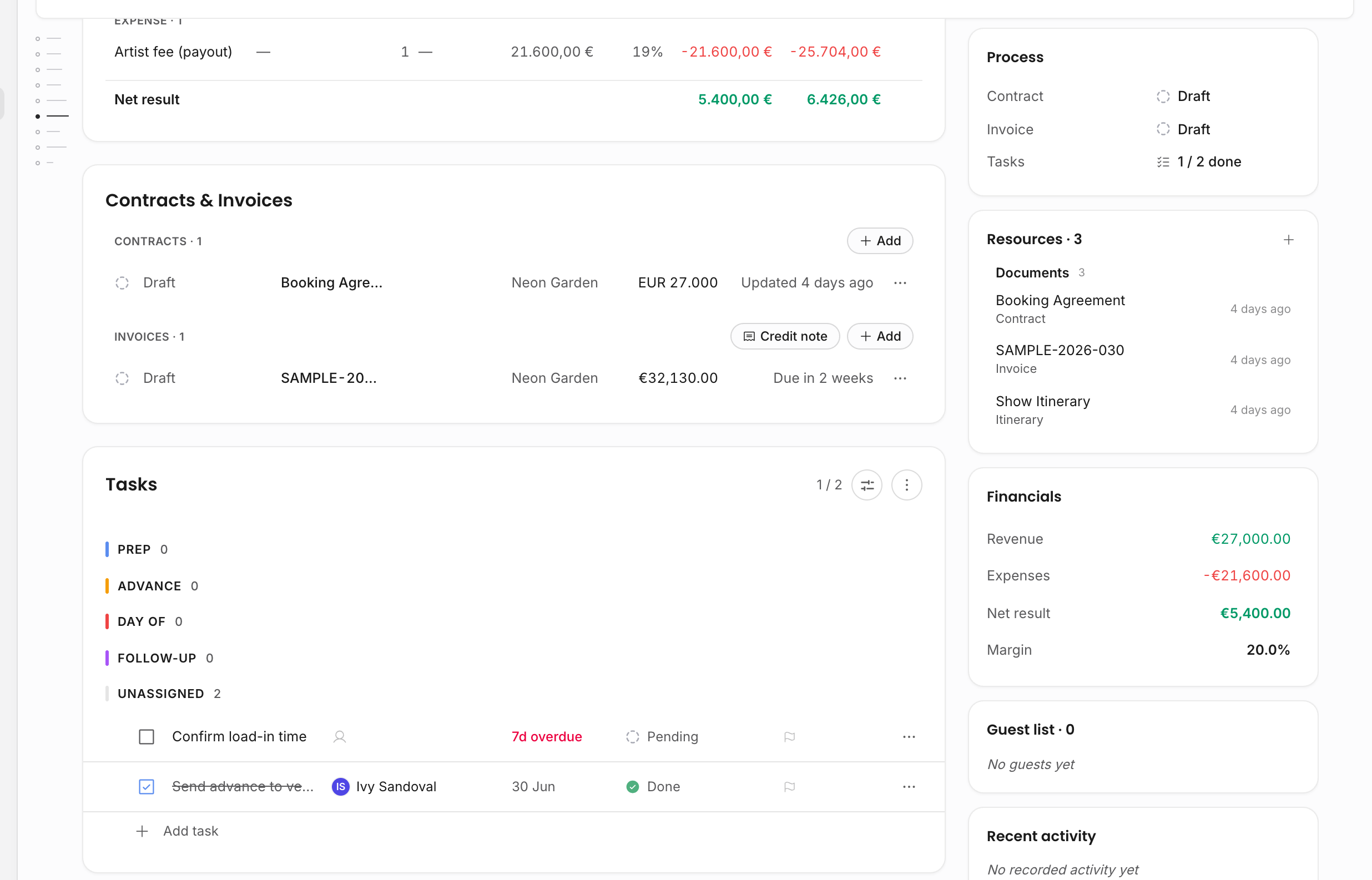
Resources and workflow state
| Area | What it is |
|---|---|
| Contracts | Contract documents attached to the show, including status, counterparty, amount, and signed/updated context when permitted. |
| Invoices and credit notes | Billing documents attached to the show, with derived invoice status based on payments, due dates, payment schedules, voiding, and settlement. |
| Documents | Event documents such as itinerary, rider, recap, brief, or other configured document kinds. |
| Files | Uploaded files attached directly to the event. |
| Links | External URLs saved on the event. |
| Tasks | Assignable work grouped by phases and templates. |
| Updates | Team discussion, decisions, @mentions, and threaded replies. |
| Recent activity | Audit-style activity such as event edits, resource changes, and child workflow changes. |
Contracts, invoices, documents, files, and links are all resources, but they do not all behave the same way. Contract and invoice documents open inside their owning workflow so financial status and document editing stay together. Plain event documents stay attached to the event. Files download; links open externally.
Custom fields
Admins can add custom fields in event template settings and assign them to standard sections or custom sections. Custom fields can be limited by event type, so a field can appear for shows but not travel or general events.
Custom field sections also carry a permission group:
| Permission group | Who can see it |
|---|---|
| Events | Visible to anyone who can see the event. Editing follows event edit permission. |
| Contracts | Visible to users with contract access. Editing follows contract edit permission. |
| Invoices | Visible to users with invoice access. Editing follows invoice edit permission. |
| Financial | Visible to users with financial access. Editing follows financial edit permission. |
This is important for templates and documents. If a custom field belongs to a restricted section, the field and any document pill that reads it should follow that same access rule.
To put these fields to work, follow Create a show and Work a show.