
Live pills
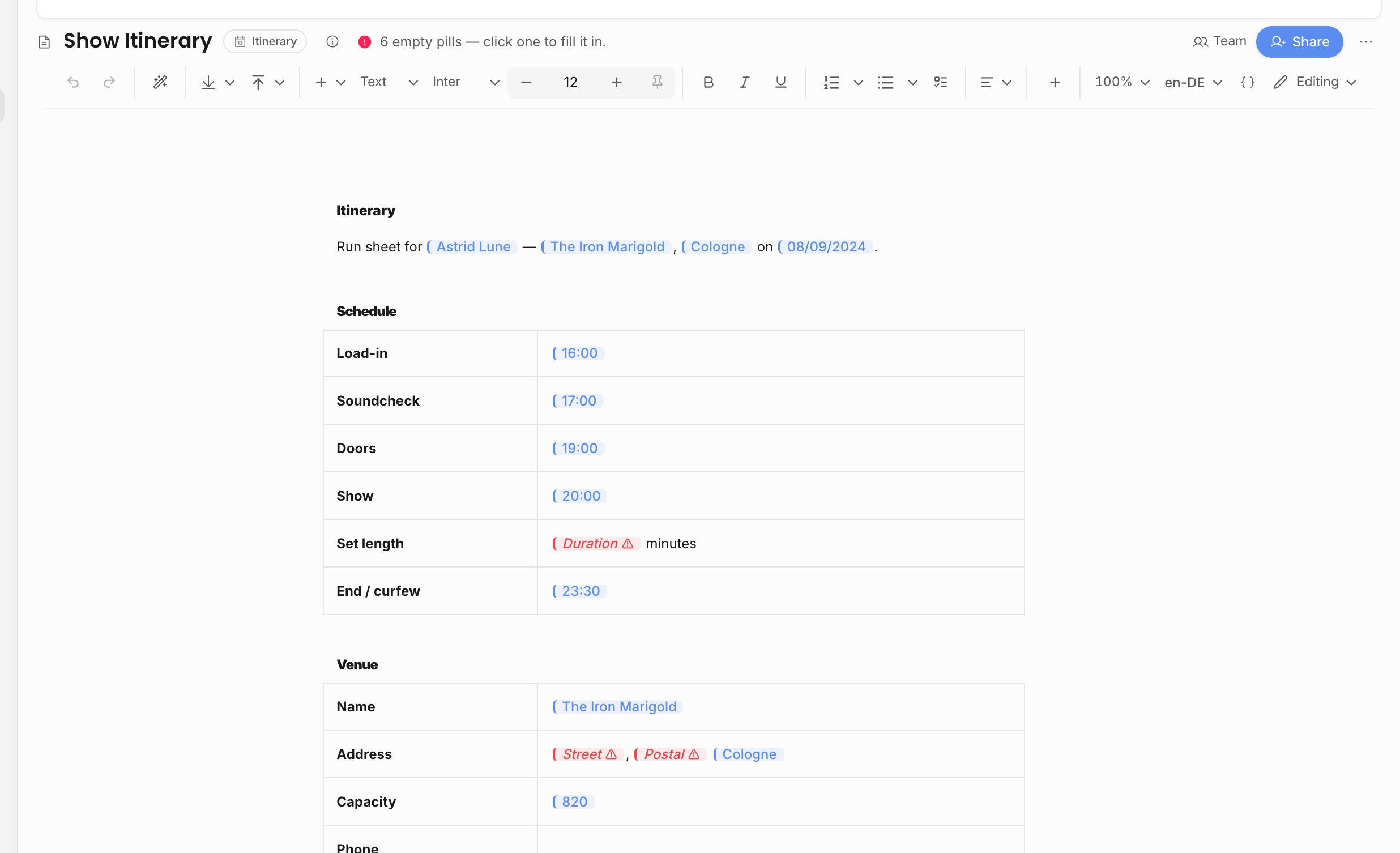
Live pills are document tokens that resolve from workspace data. Use them when a document should read from the event, artist, organization, counterparty, financial lines, payment schedule, or custom fields.
Pills are not static copied text. They are saved as document tokens and resolved when the document renders, previews, or exports. That is why they are useful for values that change: event date, venue, billing details, selected line items, contract status, invoice due dates, and custom show fields.
Common pill groups
| Group | Examples |
|---|---|
| Event | Title, date, type, status, category, performance type, notes, venue, address, time fields, ticket fields, travel context, guest lists, and tasks. |
| People | Artist, organizer, counterparty, booker, advancing contact, agency details, and external representation. |
| Financial | Revenue, expenses, named line items, line-item totals, counterparty-scoped totals, invoice values, credit-note values, and payment schedule values. |
| Document | Contract, invoice, credit note, document number, document date, due dates, payment terms. |
| Custom fields | Fields configured in event template settings. |
Insert fields while authoring
In the editor, use Insert field from the + insert menu or type /field where the value should appear. The field picker shows the fields that make sense for the document's parent context. Event documents can show event, venue, artist, organizer, booker, financial, task, guest, contract, invoice, and custom-field values. Artist, organization, and personal documents have a narrower context.
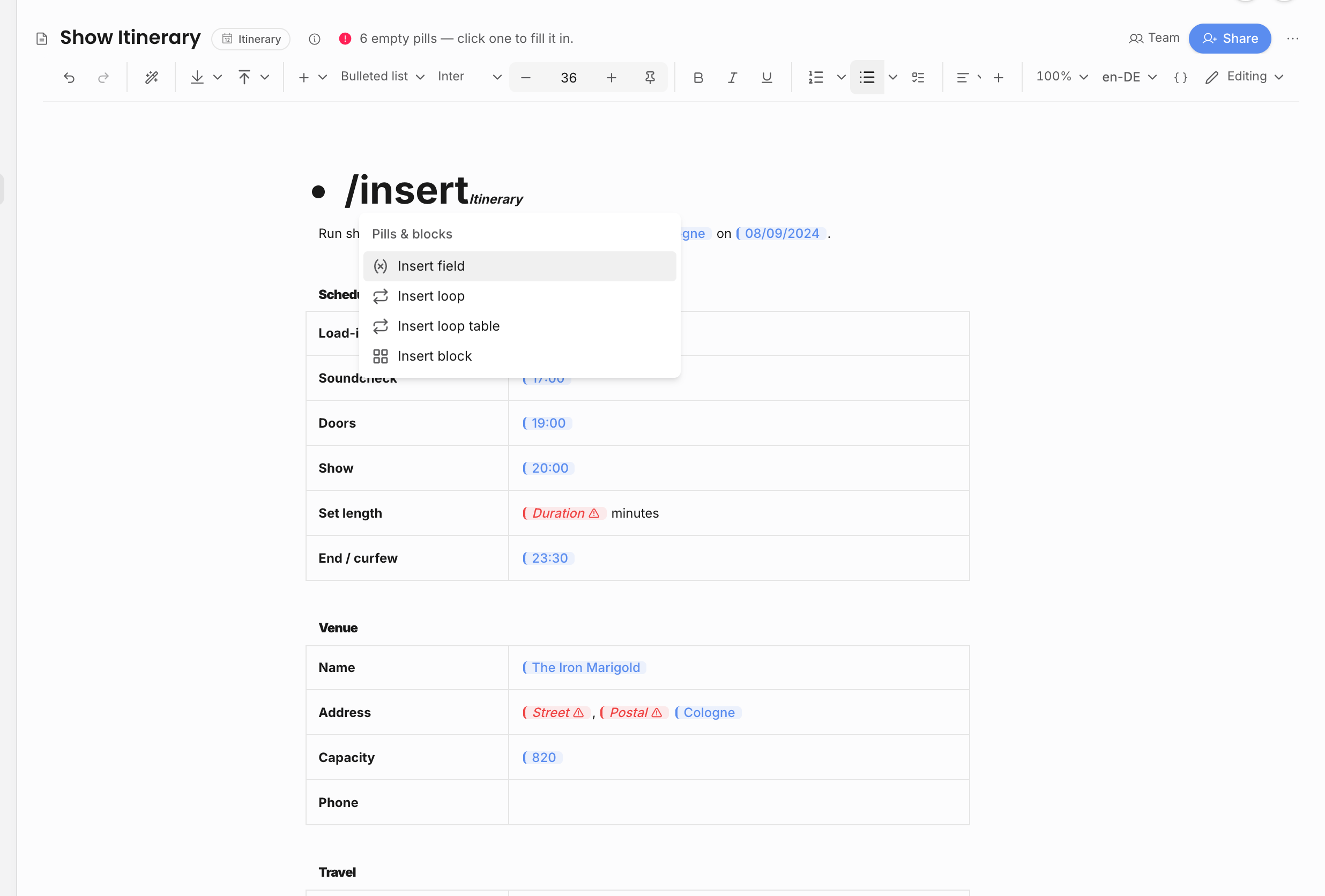
Use a field pill for one value inside a sentence, heading, clause, or table cell:
| Need | Better choice |
|---|---|
| "Performance date: [date]" | One event date pill. |
| "Venue: [name], [city]" | Venue name and city pills. |
| "Artist fee is [amount]" | A named revenue-line pill if the clause references one specific line. |
| A full list of guests, tasks, or line items | A loop or loop table instead of many individual pills. |
If the field belongs to a repeated item, such as each guest or each line item, insert it from inside a loop. That keeps the field tied to the current row instead of repeating the same whole-event value.
Permissions
Some pills are permission-gated. Financial pills require financial access. Sensitive artist data requires sensitive-data access. Contract and invoice pills require the relevant document permissions. Custom-field pills inherit the permission group of their custom-field section.
The editor avoids leaking gated data in two ways:
| Gate | What it protects |
|---|---|
| Field access | Values from sections the viewer cannot see are not offered or filled. Financial line items are skipped entirely when the viewer lacks financial access. |
| Sharing ceiling | A user cannot share a document if the document contains pills that disclose data they personally are not allowed to disclose. |
This means a pill can appear empty or unavailable for one user and resolve for another user with stronger permissions. That is expected; the source record and role decide what can be shown.
Why pills matter
If a show date, venue, counterparty, bank detail, or line item changes, a live pill can render the current value without manually updating every document copy.
Pills are especially useful in templates. A contract template can say where the artist, organizer, performance date, selected revenue lines, or payment schedule should appear. When the team creates a contract from the template, those pills resolve from the actual show and contract context instead of becoming generic placeholder text.
Event context and empty pills
Event documents have access to event-scoped pills. Organization, artist, and personal documents can still contain pills, but an event-specific pill needs an event context to resolve meaningfully. If a pill has no matching source record, missing permission, or no event context, it renders empty rather than inventing a value.
An empty pill is not automatically a broken document. It is a prompt to decide where the source of truth should live. For example, a venue city should usually be fixed on the show or venue contact, while a one-off note can be replaced with normal typed text.
For templates, check both the editing view and a preview/export against a real event or artist before relying on the template. The editing view helps authors see which fields are inserted; the rendered view shows whether those fields resolve to useful values for the selected record.
Use static text when the wording should never change. Use pills when the document should stay connected to the source record.
Related: Loop tables and blocks, Templates, pills, and copies, Roles and permissions.