
Travel and general events
Not every calendar item is a performance. Offstage supports three event types: Show, Travel, and General. Travel and general events share the same calendar, status, visibility, resources, tasks, updates, and instant per-field saving as shows, but their detail pages expose different fields.
Use these event types to keep the artist's whole working day visible without forcing every calendar item into a show-shaped form.
Travel events
Use travel events for flights, trains, drives, transfers, hotels, and routing notes. A travel event can stand alone, but it is most useful when linked to the show it supports.
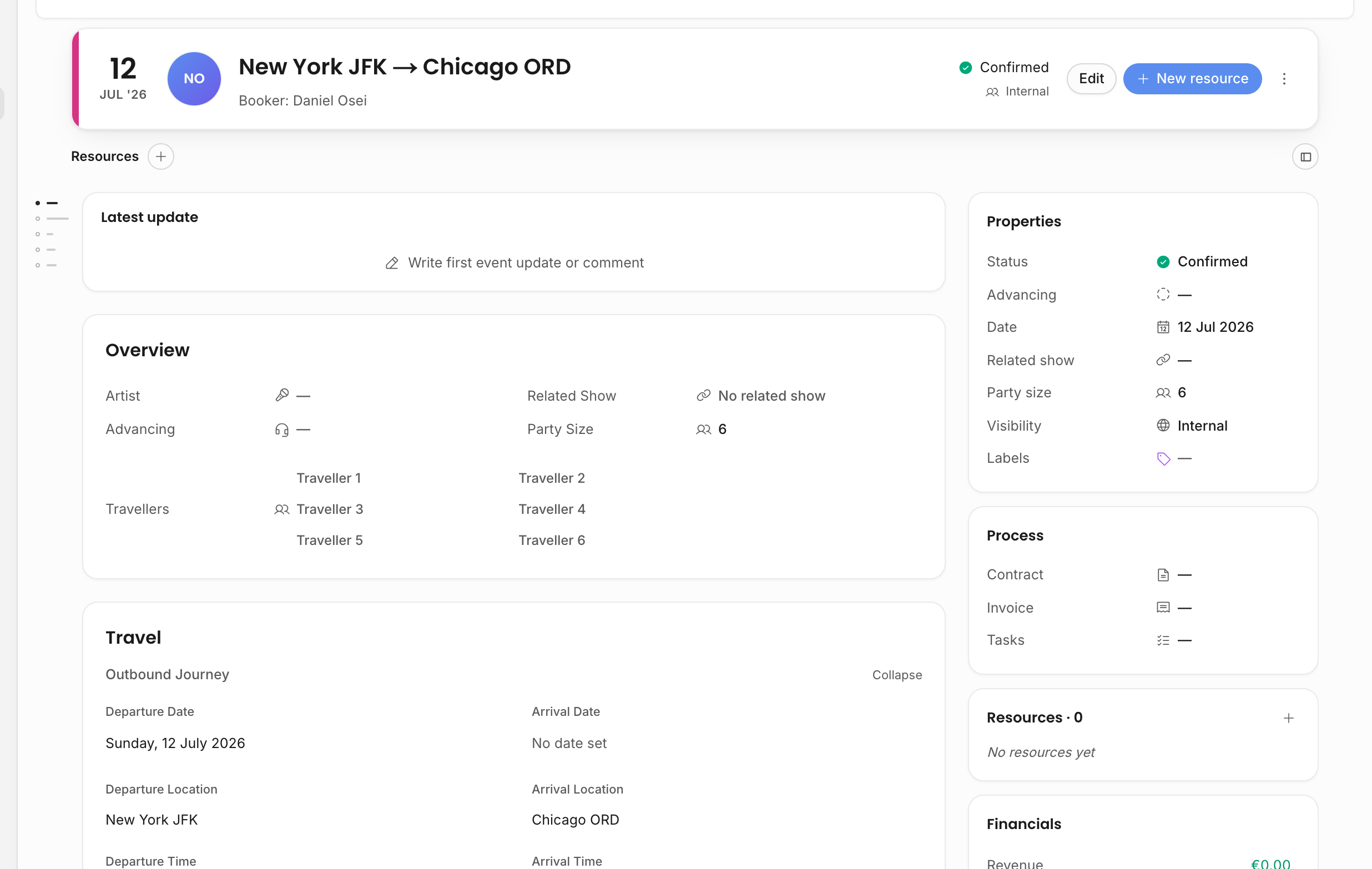
Travel detail has three expandable groups:
| Group | What it stores |
|---|---|
| Outbound journey | Departure date, arrival date, departure location, arrival location, departure time, arrival time, transport mode, carrier, flight/train number, and booking reference. |
| Return journey | The same route, date, time, transport, carrier, number, and reference fields for the return leg. |
| Accommodation | Hotel name, confirmation number, hotel address, hotel contact, check-in date/time, and check-out date/time. |
Locations use the same autocomplete pattern as other address fields. When a selected place has coordinates, Offstage can display a time-zone offset chip next to the travel time. The chip is a label for the local wall-clock time; it does not convert or move the time the team entered.
Travel events also have show-related properties:
| Field | Why it matters |
|---|---|
| Related show | Links the travel item back to the performance it supports. |
| Advancing contact | Identifies who is handling logistics for the leg. |
| Party size | Captures how many people are travelling. |
| Travellers | Stores the people attached to the travel plan when used by the event. |
| Status, date, visibility, labels | Keep travel scannable and filterable in the same calendar as shows. |
On a show detail page, the Travel links section lists linked travel events and linked accommodation. From there, an editor can link an existing travel event, create a new linked travel event, link a saved hotel, create a new hotel contact, or unlink travel/accommodation. Creating a new linked travel event links it to the show and opens it right away, ready for route details.
Hotels are address-book business contacts. Selecting or creating a hotel is useful because hotel address and contact details can be reused instead of typed again for every trip.
General events
Use general events for meetings, holds, internal deadlines, rehearsals, release milestones, personal planning blocks, and other work that belongs on the calendar but is not a performance or travel leg.
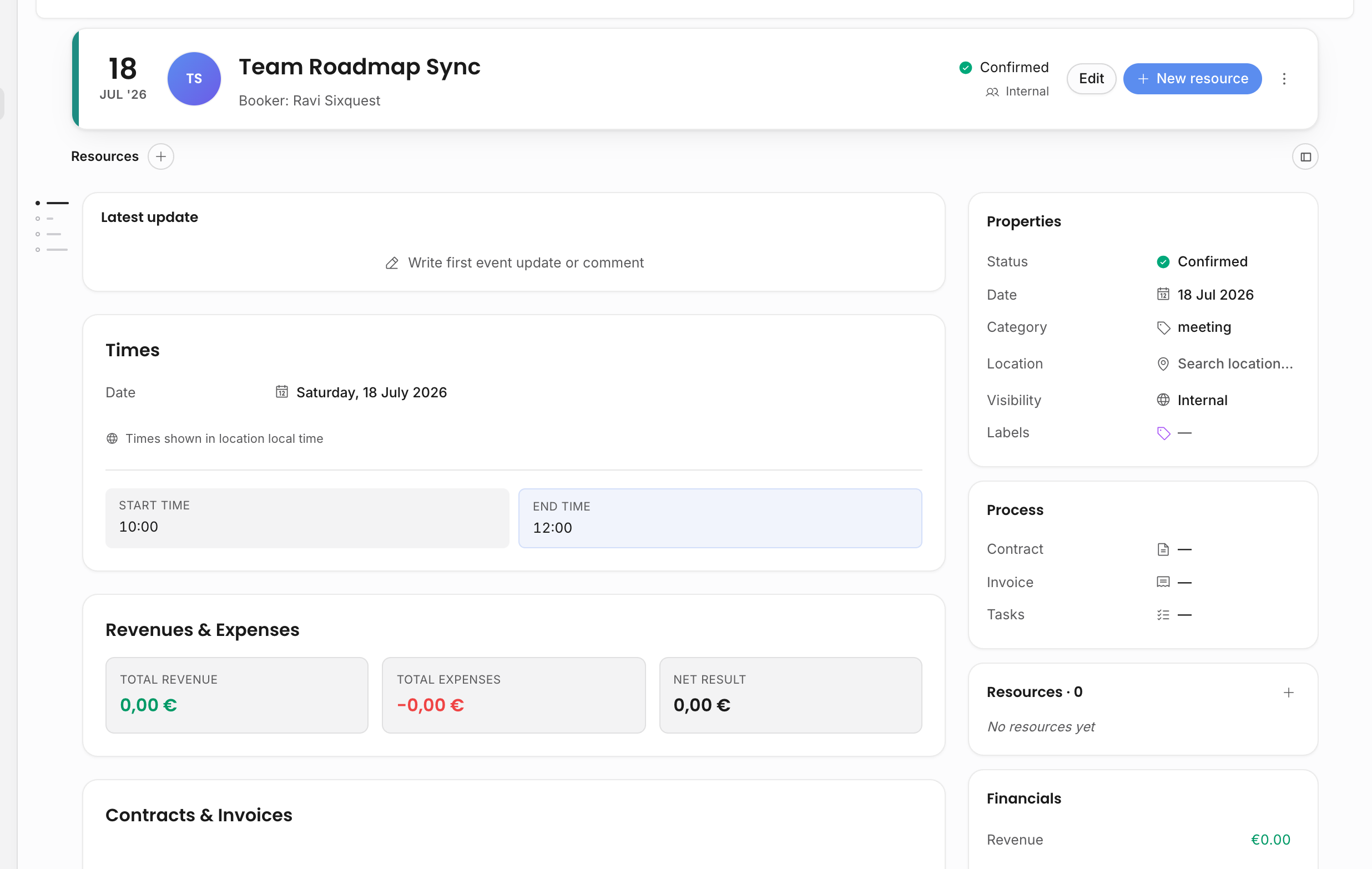
General events intentionally keep the detail page lighter:
| Field | What it does |
|---|---|
| Category | Gives the event its working label, such as meeting, hold, deadline, rehearsal, or release. |
| Location | Optional address-style location with autocomplete. When selected from structured results, city, country, postal code, and coordinates can be stored. |
| Date and simplified times | Capture when the calendar item happens without show-specific timing fields like load-in, doors, and show time. |
| Status, visibility, labels | Keep the item filterable and shareable according to the same calendar rules as other events. |
| Tasks, resources, and updates | Let the event carry work, links, files, documents, and team discussion when the general item needs follow-up. |
General events do not render the full show overview, venue, ticketing, deal terms, or travel-link sections. That is deliberate: a meeting or deadline should stay quick to scan and edit.
Why event type matters
Event type affects which fields are relevant, how the event reads in the calendar, which sections appear on the detail page, and which document variables make sense.
| Event type | Best for | Detail-page emphasis |
|---|---|---|
| Show | Booked performance work | Artist, organizer, venue, times, tickets, deal terms, financials, contracts, invoices, tasks, resources, updates. |
| Travel | Movement and accommodation | Route legs, hotel, related show, party size, traveller/logistics context, resources, tasks, updates. |
| General | Planning and non-performance calendar work | Category, optional location, date/time, status, visibility, labels, resources, tasks, updates. |
Changing an event type changes the relevant sections on the page. A show can expose deal terms and travel links; travel exposes travel details; general exposes a compact properties-and-times shape. Custom fields can also be configured to apply only to specific event types, so an agency can add travel-only or show-only fields without cluttering every calendar item.
Visibility and sharing
Travel and general events use the same visibility model as shows:
- Only me keeps the event private to its creator.
- Internal keeps it inside the workspace.
- Internal + External can expose the event to invited external users or tour calendar recipients, subject to the chosen visibility template.
Use this carefully for routing and hotel information. A travel event can be useful to share with an artist or tour manager, but it may also contain booking references, hotel details, or internal notes that should not go into a broad public schedule. Tour calendar templates decide which fields are exposed.
Where they connect
Travel and general events still participate in the wider workspace:
- They appear in calendar views, filters, saved views, and table/card displays.
- They can have tasks, resources, files, links, documents, and updates.
- They can be searched from global Search when the user has access.
- Travel events can be linked from a show and opened directly from the show's travel-links section.
- General events can carry planning work without creating fake artists, venues, contracts, or invoices.
Related: Calendar overview, Show fields, Live pills.