
Workspaces and agencies
An Offstage workspace is the operating home for one agency. It contains that agency's roster, calendar, address book, documents, contracts, invoices, analytics, settings, sample data state, templates, and team access.
This page is about workspace structure. For the privacy layers that decide who can see a specific record, read How your workspace stays private.
One workspace per agency
When you create or join an agency, you work inside that agency's workspace. Records belong to that workspace even when their names look similar elsewhere. Two agencies can both have an artist called "Aurora Skies", a venue called "Moonlit Bay", or an invoice with the same counterparty name; those are still separate records with separate history, permissions, templates, and analytics.
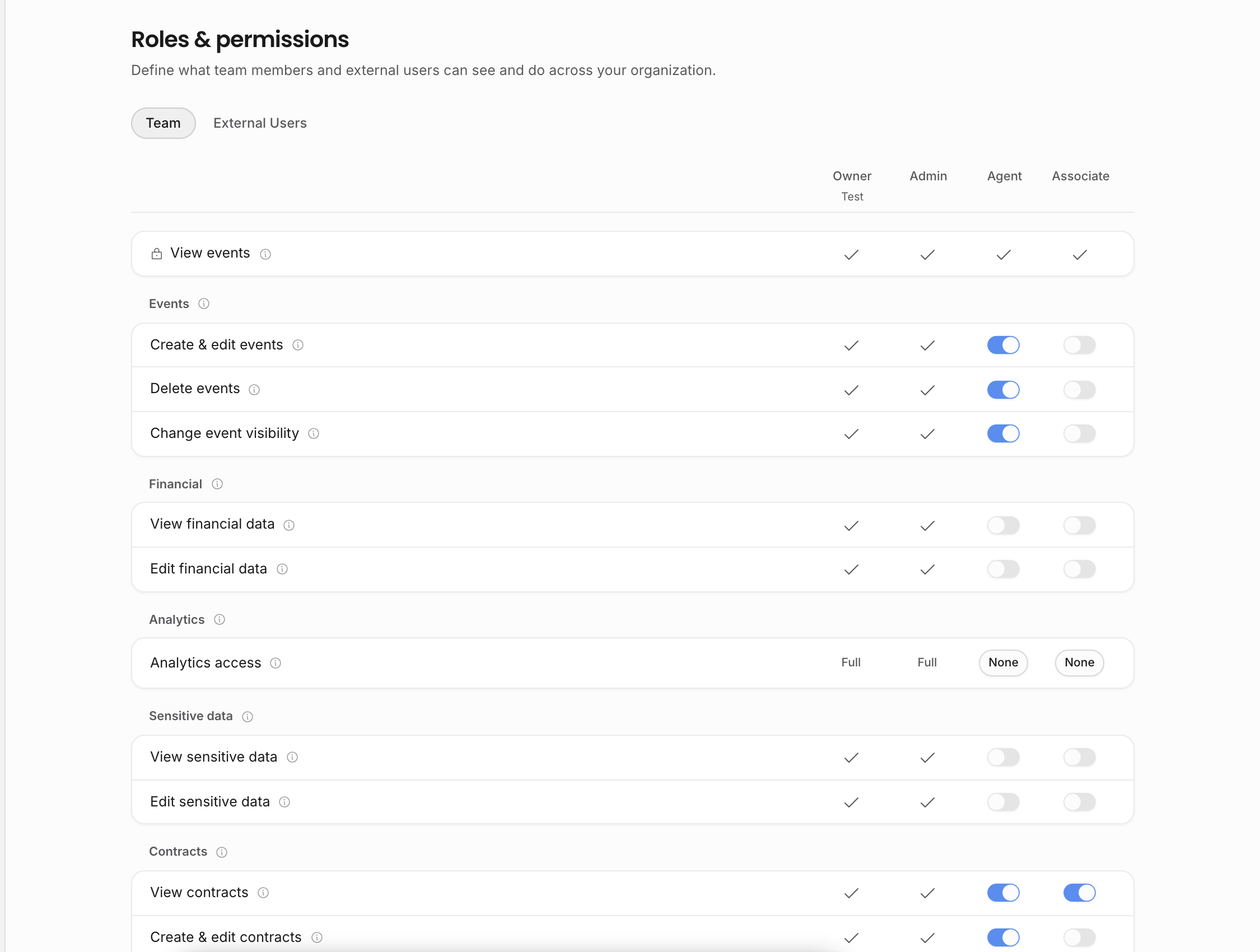
The workspace also owns configuration. Roles, custom show fields, saved field options, task templates, document templates, tour calendar templates, document branding, notification settings, sample data, and organization details are agency-specific. Changing a template in one workspace does not change another agency's templates.
One account can belong to more than one workspace
A person can be invited to multiple agencies. The workspace in the URL and navigation decides which agency you are currently using. If you move between agencies, you are moving between separate calendars, address books, documents, contracts, invoices, settings, and analytics.
Use this separation when you collaborate with more than one agency, run a second business entity, or help another team temporarily. Do not rely on identical names to mean identical records. Open the correct agency before creating a show, sending a contract, changing a template, or inviting a teammate.
Team members are different from external users
Internal team members join the workspace and use normal workspace navigation. Their role, individual permission overrides, and artist scope decide what they can view or manage.
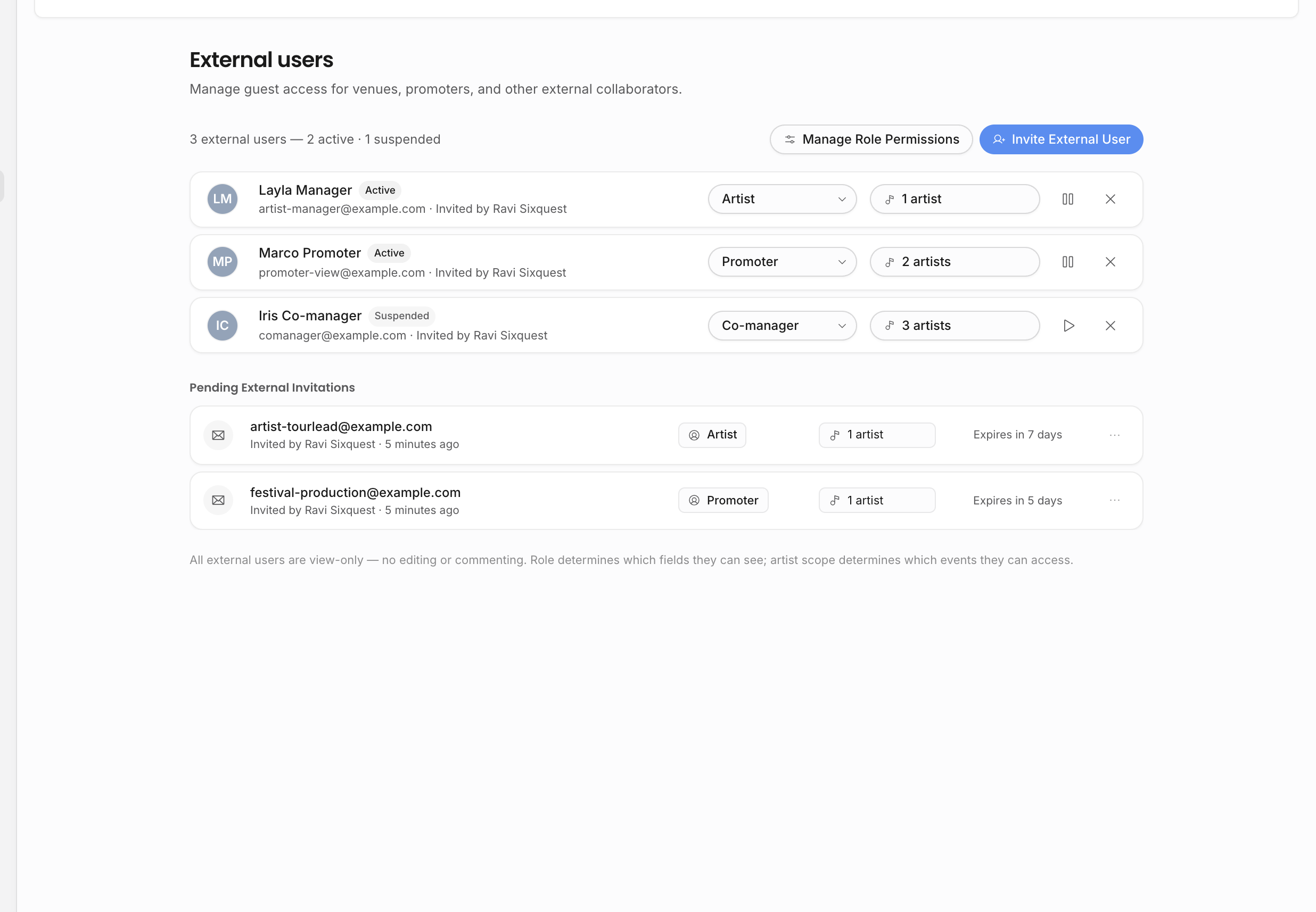
External users are managed separately. They are for artists, managers, partners, accountants, promoters, or other outside collaborators who need a narrower view such as selected externally visible events or specific shared documents. External users do not become ordinary agency teammates.
Records can connect inside one workspace
The value of a workspace is that the records can refer to each other. A show can use an artist from the roster, a venue from the Address Book, tasks from the agency's templates, deal lines that feed contracts and invoices, documents with live values, and analytics that roll those records up.
That connection stops at the workspace boundary. A document template, address-book contact, external user, tour calendar, or invoice in one agency does not become available in another agency unless it is recreated or imported there.
Practical checks
Before doing work that affects people outside your own desk, check the current workspace:
| Work | Why the current workspace matters |
|---|---|
| Creating a show | The artist roster, address book, saved fields, task templates, and visibility settings come from the current agency. |
| Sending a contract or invoice | Agency branding, legal details, templates, numbering, recipients, and permissions come from the current agency. |
| Inviting a teammate | The invitation grants access to this agency only. Use artist scope and roles to narrow access. |
| Sharing a tour calendar or document | The share only exposes records from this workspace, subject to the share settings and visibility rules. |
| Reading analytics | The numbers are calculated from this agency's records and the viewer's access level. |
Related: