
Organization setup
Organization settings define how the workspace identifies itself and how the team works.
Core settings
| Area | Use it for |
|---|---|
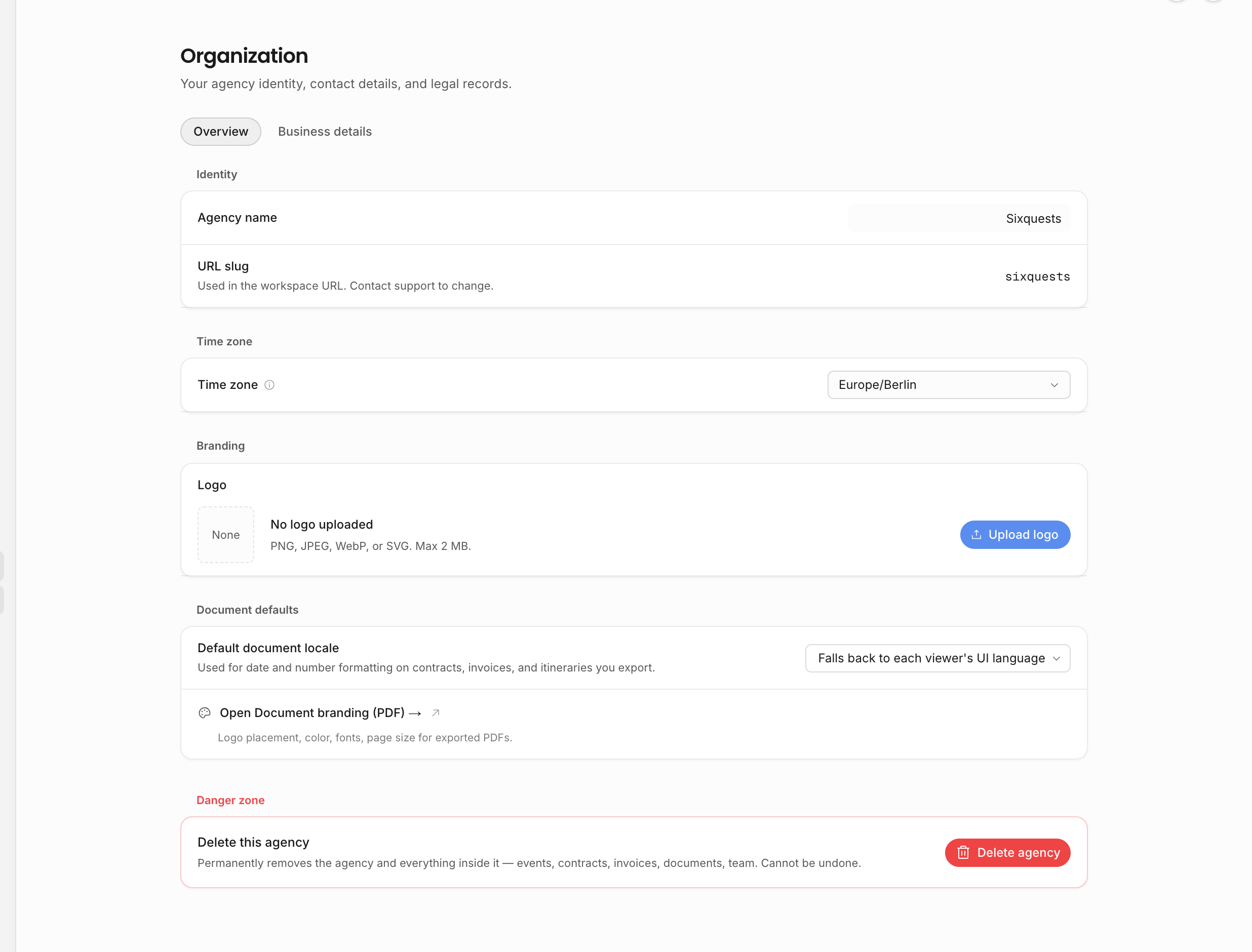
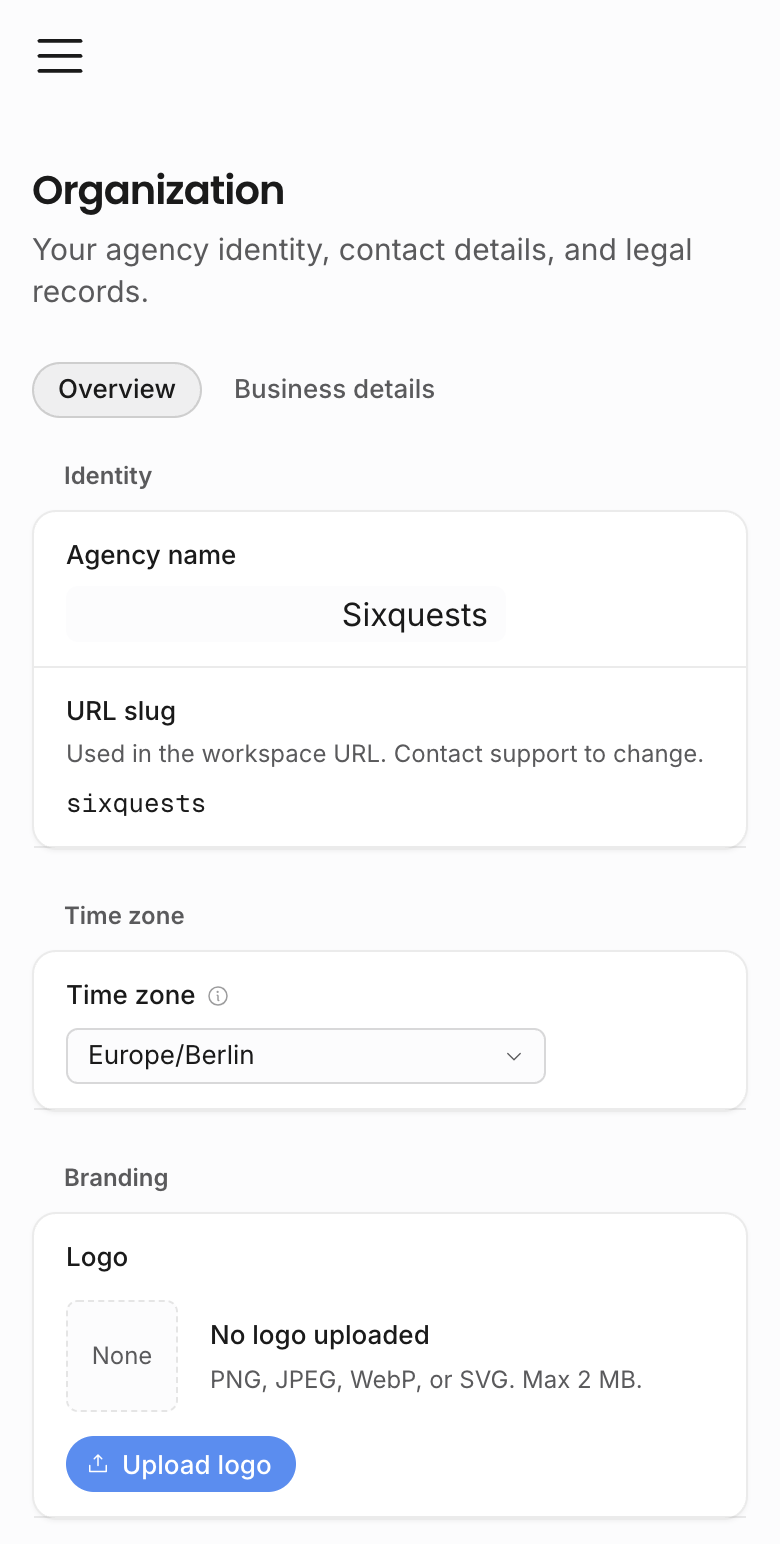
| Organization overview | Agency display name, workspace slug display, agency time zone, logo, default document locale, document-branding link, and owner-only deletion. |
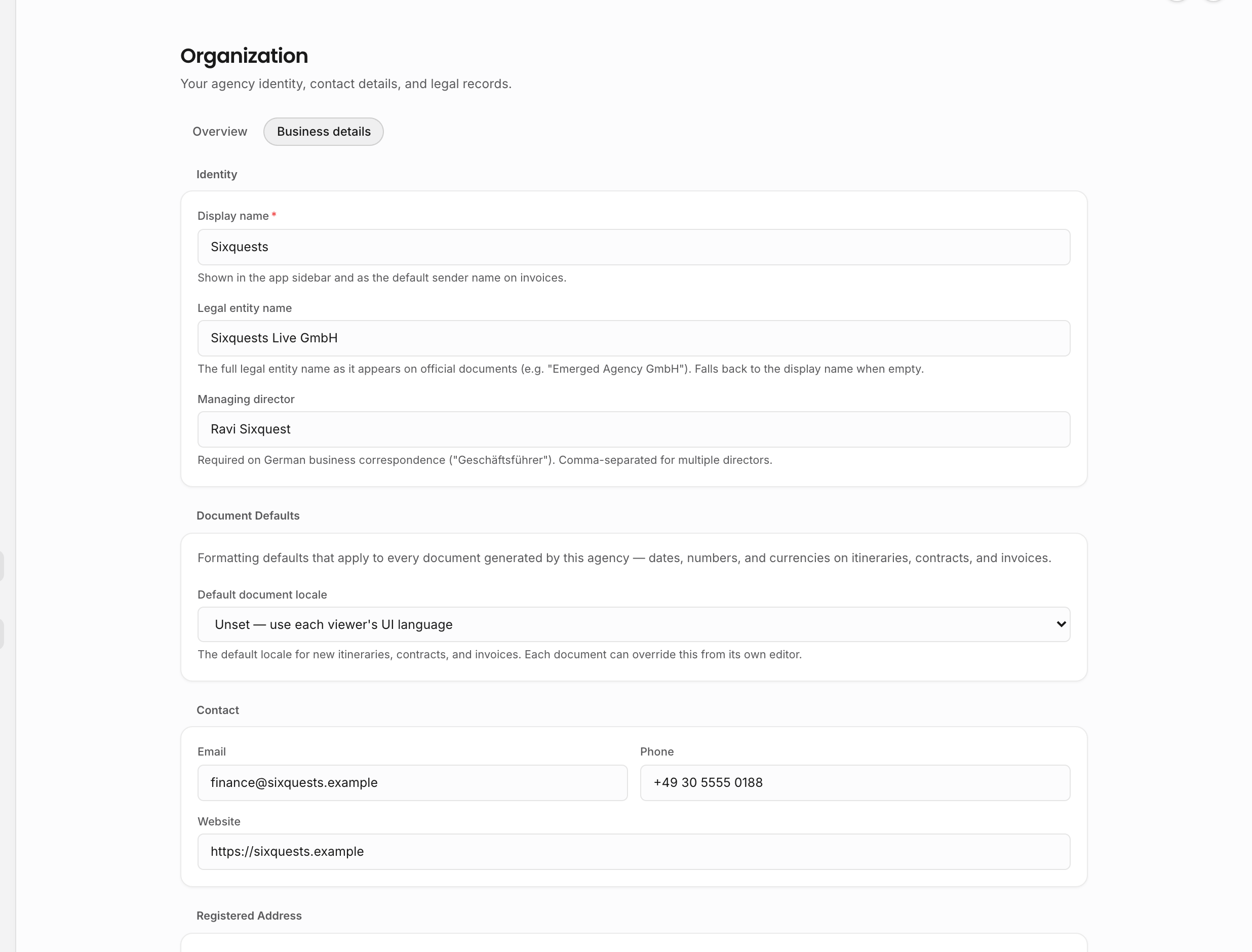
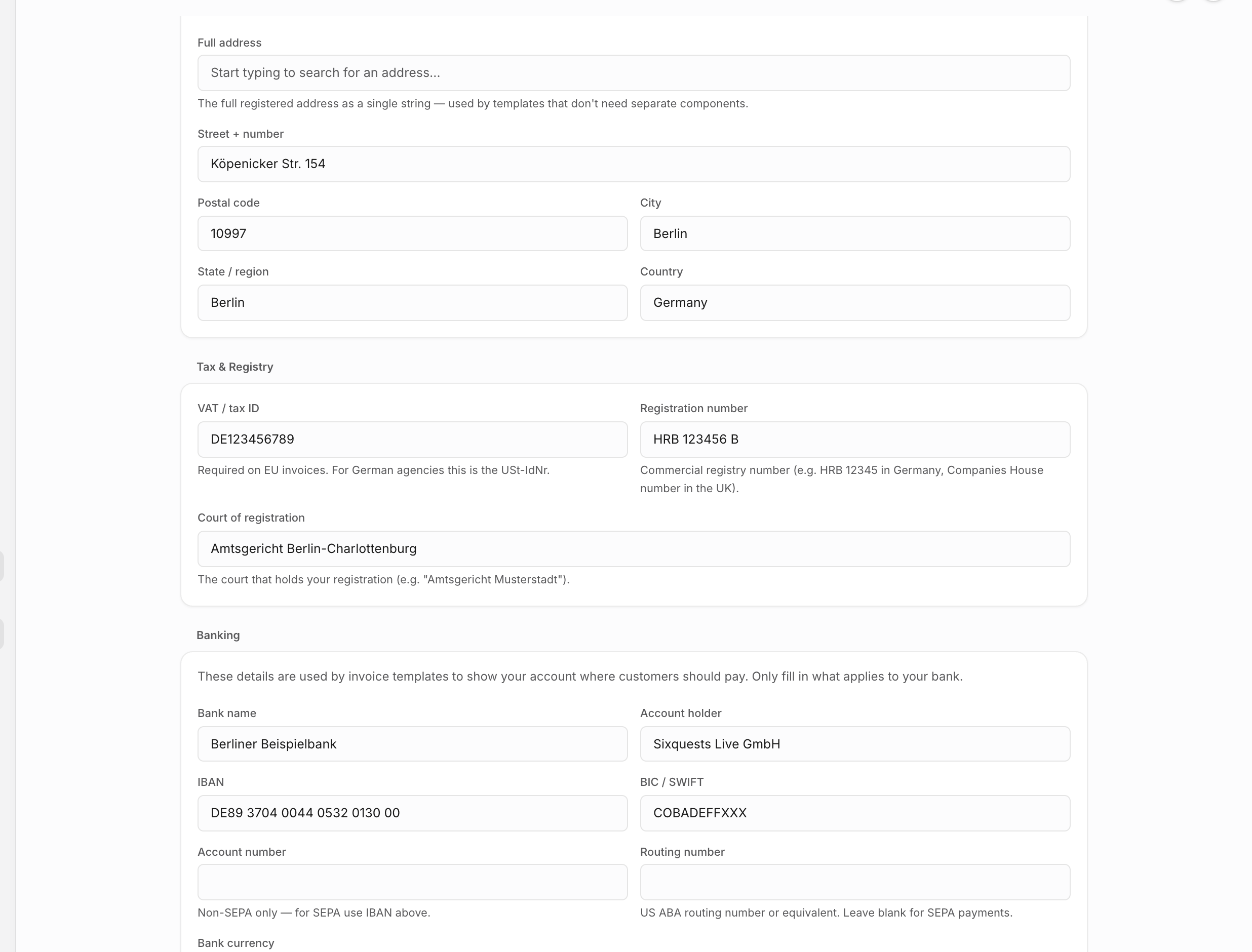
| Business details | Legal name, managing director, contact information, registered address, tax/registry details, banking details, and document locale fallback. |
| Profile | Your personal display name, avatar, account email display, and password. |
| Preferences | Your app language, formatting region, personal time zone, and theme. |
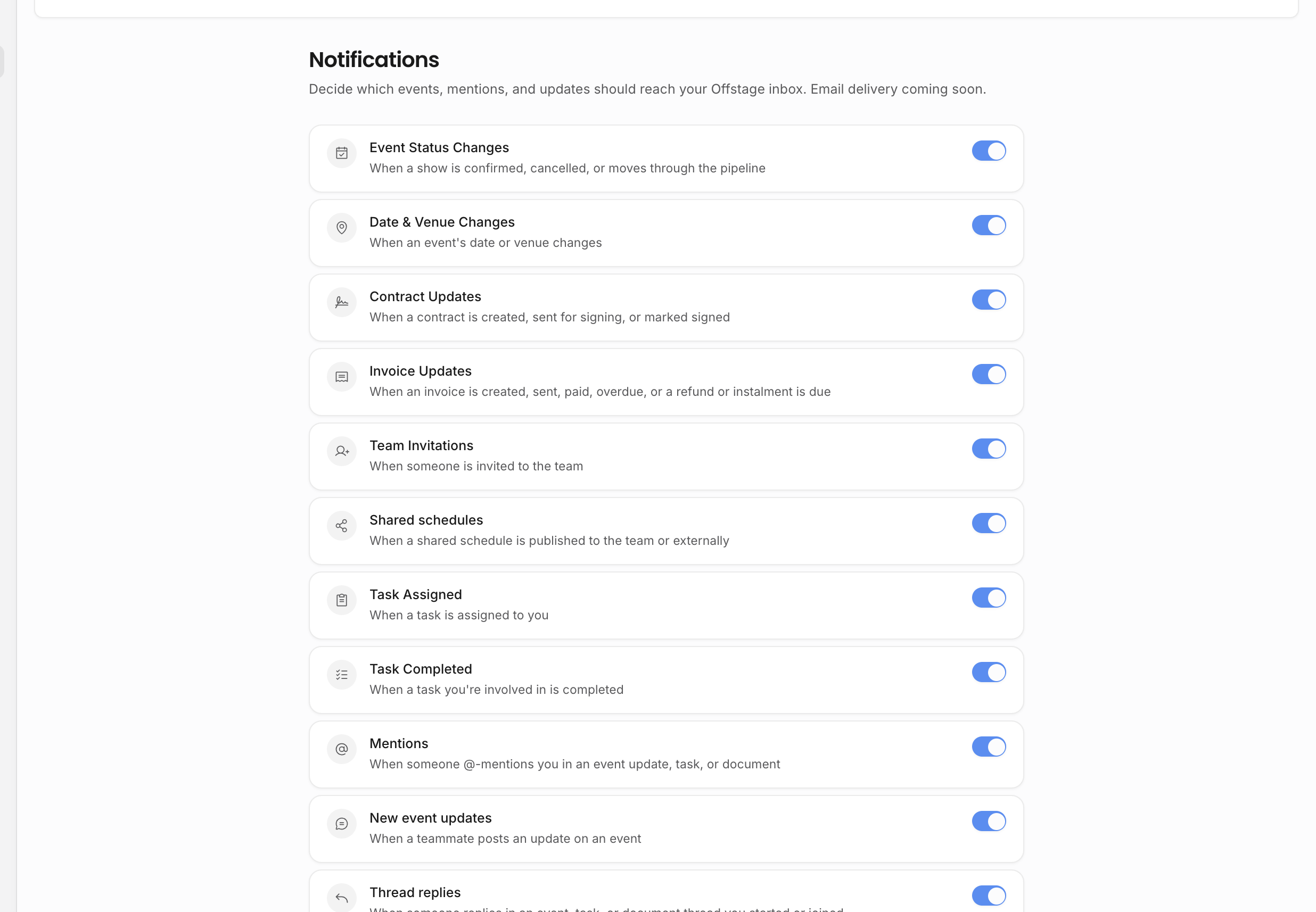
| Notifications | Which product notifications you receive, including event, contract, invoice, and team-related groups when permitted. |
| Billing | Permission-gated placeholder for subscription and billing management. |
| Integrations | Permission-gated placeholder for future connected services. |
| Import/export | Permission-gated placeholder for future data movement into or out of the workspace. |
| Sample data | Demo data controls for training and evaluation workspaces. |
Business details and branding matter because contracts, invoices, PDFs, and templates can read from them.
Organization identity
Use the organization overview for the public-facing workspace identity: agency name, logo, agency time zone, and default document locale. The URL slug is displayed there but is not editable in-product. The logo appears in workspace chrome and shared surfaces that use the agency brand. Document branding has its own settings page for PDF presentation, including page-level export styling.
Use business details for legal and financial identity. This is where the agency maintains legal name, managing director, contact email and phone, website, structured address, VAT or tax ID, registration details, bank details, and banking notes. These values can flow into contract and invoice templates through organization variables, so update the source record instead of hard-coding sender details into individual documents.
If a contract, invoice, or exported PDF has the wrong sender details, check organization overview, business details, and document branding before editing the document body manually.
Personal settings versus workspace settings
Some settings affect only you, such as profile, personal preferences, and personal notification toggles. Others affect the whole workspace, such as agency identity, business details, document branding, template defaults, sample data, and future integrations. Treat workspace-level settings as shared configuration: changes can affect what teammates see, what new records start with, and what exported documents contain.
Notification settings
Notification groups are permission-aware. A teammate who cannot view invoices should not need invoice notifications; a teammate who cannot view contracts should not need contract notifications. Use notification settings to reduce noise without removing the underlying permission from a person.
Import, export, and integrations
Import/export and integrations are operational settings, not everyday workspace pages. They are reserved settings areas with coming-soon placeholders today. Keep their permissions limited to trusted users now so access is already limited when full controls are introduced.
Sample data
Sample data is useful for onboarding, product evaluation, and Help Center media. It should stay distinct from real agency data. Clear sample data when a workspace is ready to become operational, and avoid mixing training records with real contracts, invoices, and analytics.
Related: Document templates and branding, Event templates and options, Workspace privacy.